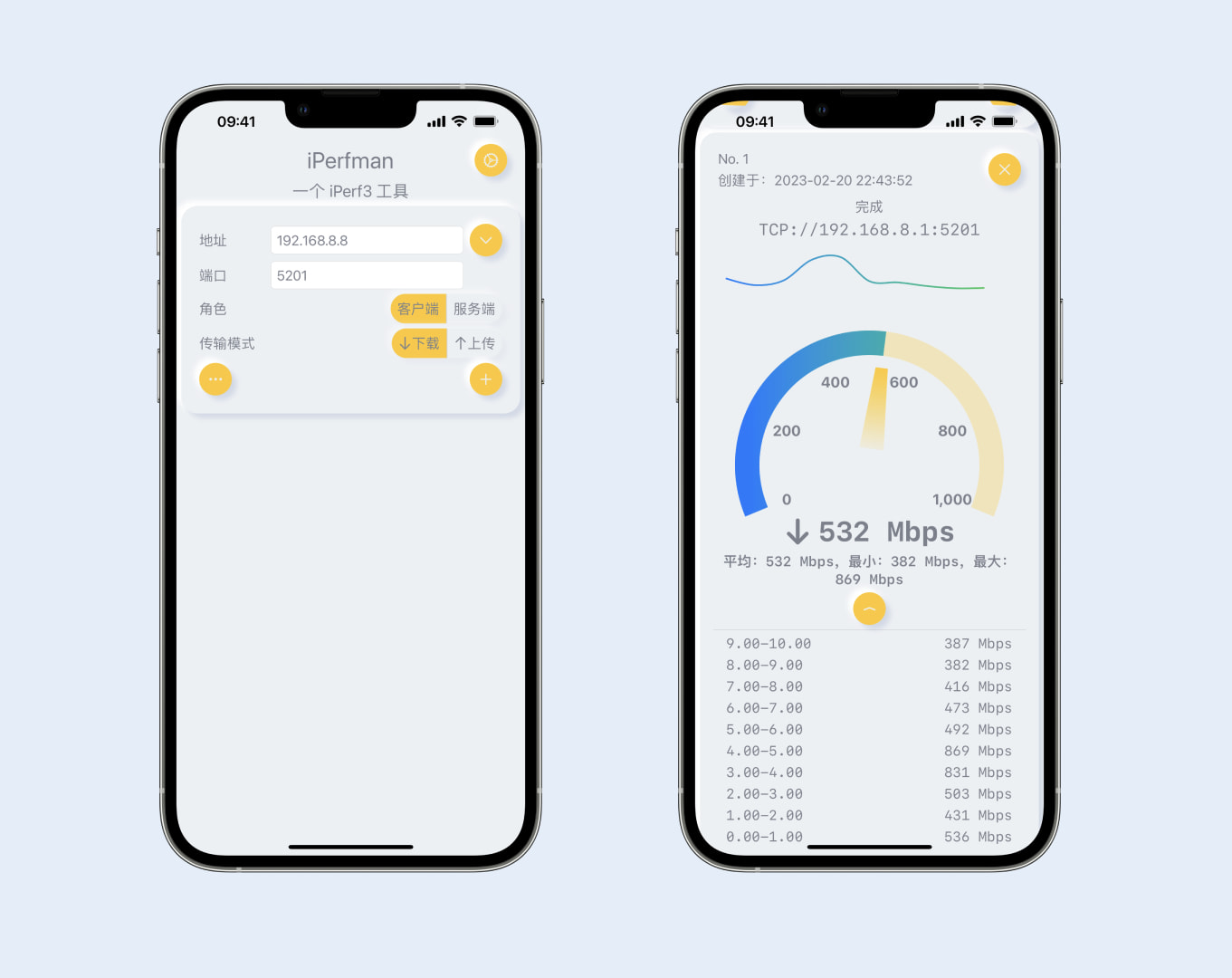
<?xml version="1.0" encoding="utf-8"?>
<feed xmlns="http://www.w3.org/2005/Atom">
  <author>
    <name>Ge Will</name>
  </author>
  <generator uri="https://hexo.io/">Hexo</generator>
  <id>https://gewill.org/</id>
  <link href="https://gewill.org/" rel="alternate"/>
  <link href="https://gewill.org/atom.xml" rel="self"/>
  <rights>All rights reserved 2026, Ge Will</rights>
  <subtitle>The people who are crazy enough to think they can change the world, are the ones who DO.</subtitle>
  <title>Will's Blog</title>
  <updated>2026-04-20T15:17:45.656Z</updated>
  <entry>
    <author>
      <name>Ge Will</name>
    </author>
    <category term="Swift" scheme="https://gewill.org/tags/Swift/"/>
    <category term="SwiftUI" scheme="https://gewill.org/tags/SwiftUI/"/>
    <category term="iOS" scheme="https://gewill.org/tags/iOS/"/>
    <category term="macOS" scheme="https://gewill.org/tags/macOS/"/>
    <content>
      <![CDATA[<h1 id="Introducing"><a href="#Introducing" class="headerlink" title="Introducing"></a>Introducing</h1><p>Pingman, your new essential network utility for iPhone, iPad, and Mac. Built entirely with Swift and SwiftUI, Pingman offers a sleek and intuitive way to check the reachability of hosts on your network and across the internet. Whether you’re a network professional, a developer, or simply curious about your network connectivity, Pingman provides the tools you need right at your fingertips.</p><h2 id="Features"><a href="#Features" class="headerlink" title="Features"></a>Features</h2><p>Pingman allows you to quickly and easily send ICMP echo requests to target hosts, displaying real-time results including response times and packet loss. Its clean and modern interface, thanks to SwiftUI, provides a consistent experience across all your Apple devices. You can easily monitor network stability, diagnose connection issues, and verify the availability of servers and websites. </p><h3 id="Free-Features"><a href="#Free-Features" class="headerlink" title="Free Features:"></a>Free Features:</h3><ol><li><strong>Effortless Ping Tests:</strong> Conduct basic ping tests with default settings for quick network checks. </li><li><strong>Clear Ping Summaries:</strong> Receive a concise summary at the end of each ping test, highlighting key statistics. </li><li><strong>Organized Target Lists:</strong> Easily manage your frequently pinged targets with preset options, a history of previous targets, and a bookmarking feature for quick access. </li><li><strong>Smart Notifications:</strong> Get instant alerts when ping failures occur and when services recover.</li></ol><h3 id="Pro-Features"><a href="#Pro-Features" class="headerlink" title="Pro Features:"></a>Pro Features:</h3><ol><li><strong>Advanced Ping Control:</strong> Unlock additional parameters to fine-tune your ping tests for specific network analysis needs. </li><li><strong>Seamless Log Management:</strong> Share and save detailed ping logs for documentation, analysis, or troubleshooting purposes.</li><li><strong>Data Export &amp; Import:</strong> Backup and restore your bookmarks, history, and logs across devices.</li></ol><p>If you have any questions or suggestions, you can contact them through <a href="mailto:&#x35;&#x33;&#x31;&#x73;&#x75;&#110;&#x6c;&#x69;&#x67;&#104;&#x74;&#x40;&#103;&#x6d;&#97;&#105;&#108;&#46;&#x63;&#111;&#109;">Email</a>.</p><p><a href="https://apps.apple.com/app/id6746965846">Download <strong>Pingman</strong> on the App Store</a></p><h1 id="Terms-of-Use"><a href="#Terms-of-Use" class="headerlink" title="Terms of Use"></a>Terms of Use</h1><p><a href="https://www.apple.com/legal/internet-services/itunes/dev/stdeula/">Apple Media Services Terms and Conditions</a></p><h1 id="Privacy-policy"><a href="#Privacy-policy" class="headerlink" title="Privacy policy"></a><a id="Privacy-policy"></a>Privacy policy</h1><p>This App does not collect or upload any private information.</p>]]>
    </content>
    <id>https://gewill.org/2025/07/08/introducing-Pingman-en/</id>
    <link href="https://gewill.org/2025/07/08/introducing-Pingman-en/"/>
    <published>2025-07-08T09:39:44.000Z</published>
    <summary>
      <![CDATA[<h1 id="Introducing"><a href="#Introducing" class="headerlink" title="Introducing"></a>Introducing</h1><p>Pingman, your new essential networ]]>
    </summary>
    <title>introducing Pingman</title>
    <updated>2026-04-20T15:17:45.656Z</updated>
  </entry>
  <entry>
    <author>
      <name>Ge Will</name>
    </author>
    <category term="Swift" scheme="https://gewill.org/tags/Swift/"/>
    <category term="SwiftUI" scheme="https://gewill.org/tags/SwiftUI/"/>
    <category term="SwiftPM" scheme="https://gewill.org/tags/SwiftPM/"/>
    <category term="iOS" scheme="https://gewill.org/tags/iOS/"/>
    <category term="XCFramework" scheme="https://gewill.org/tags/XCFramework/"/>
    <content>
      <![CDATA[<h1 id="1-安装"><a href="#1-安装" class="headerlink" title="1 安装"></a>1 安装</h1><h2 id="1-1-使用命令行"><a href="#1-1-使用命令行" class="headerlink" title="1.1 使用命令行"></a><strong>1.1</strong> 使用命令行</h2><figure class="highlight bash"><table><tr><td class="gutter"><pre><span class="line">1</span><br><span class="line">2</span><br><span class="line">3</span><br><span class="line">4</span><br><span class="line">5</span><br></pre></td><td class="code"><pre><span class="line">$ git <span class="built_in">clone</span> https://github.com/giginet/Scipio.git</span><br><span class="line">$ <span class="built_in">cd</span> Scipio</span><br><span class="line">$ swift run -c release scipio --<span class="built_in">help</span></span><br><span class="line"><span class="comment"># Add reference .build/release/scipio to the PATH variable.</span></span><br><span class="line">$ <span class="built_in">export</span> PATH=/path/to/scipio:<span class="variable">$PATH</span></span><br></pre></td></tr></table></figure><h2 id="1-2-作为Package使用"><a href="#1-2-作为Package使用" class="headerlink" title="1.2 作为Package使用"></a><strong>1.2 作为<code>Package</code>使用</strong></h2><p>推荐使用这种方式，较少命令行中参数，在Swift代码中<code>EntryPoint</code>配置方便。</p><h1 id="2-准备您应用程序的所有依赖项"><a href="#2-准备您应用程序的所有依赖项" class="headerlink" title="2 准备您应用程序的所有依赖项"></a>2 准备您应用程序的所有依赖项</h1><h2 id="2-1-创建一个新的Swift包来描述依赖关系"><a href="#2-1-创建一个新的Swift包来描述依赖关系" class="headerlink" title="2.1 创建一个新的Swift包来描述依赖关系"></a><strong>2.1 创建一个新的Swift包来描述依赖关系</strong></h2><figure class="highlight bash"><table><tr><td class="gutter"><pre><span class="line">1</span><br><span class="line">2</span><br><span class="line">3</span><br></pre></td><td class="code"><pre><span class="line">$ <span class="built_in">mkdir</span> MyAppDependencies</span><br><span class="line">$ <span class="built_in">cd</span> MyAppDependencies</span><br><span class="line">$ swift package init</span><br></pre></td></tr></table></figure><h2 id="2-2-编辑-Package-swift-以描述应用程序的依赖关系下一步"><a href="#2-2-编辑-Package-swift-以描述应用程序的依赖关系下一步" class="headerlink" title="2.2 编辑 Package.swift 以描述应用程序的依赖关系下一步"></a>2.2 编辑 <code>Package.swift</code> 以描述应用程序的依赖关系下一步</h2><figure class="highlight swift"><table><tr><td class="gutter"><pre><span class="line">1</span><br><span class="line">2</span><br><span class="line">3</span><br><span class="line">4</span><br><span class="line">5</span><br><span class="line">6</span><br><span class="line">7</span><br><span class="line">8</span><br><span class="line">9</span><br><span class="line">10</span><br><span class="line">11</span><br><span class="line">12</span><br><span class="line">13</span><br><span class="line">14</span><br><span class="line">15</span><br><span class="line">16</span><br><span class="line">17</span><br><span class="line">18</span><br><span class="line">19</span><br><span class="line">20</span><br><span class="line">21</span><br><span class="line">22</span><br><span class="line">23</span><br><span class="line">24</span><br><span class="line">25</span><br></pre></td><td class="code"><pre><span class="line"><span class="comment">// swift-tools-version: 5.6</span></span><br><span class="line"><span class="comment">// The swift-tools-version declares the minimum version of Swift required to build this package.</span></span><br><span class="line"></span><br><span class="line"><span class="keyword">import</span> PackageDescription</span><br><span class="line"></span><br><span class="line"><span class="keyword">let</span> package <span class="operator">=</span> <span class="type">Package</span>(</span><br><span class="line">    name: <span class="string">&quot;MyAppDependencies&quot;</span>,</span><br><span class="line">    platforms: [</span><br><span class="line">        <span class="comment">// Specify platforms to build</span></span><br><span class="line">        .iOS(.v14),</span><br><span class="line">    ],</span><br><span class="line">    products: [],</span><br><span class="line">    dependencies: [</span><br><span class="line">        <span class="comment">// Add dependencies</span></span><br><span class="line">        .package(url: <span class="string">&quot;https://github.com/onevcat/APNGKit.git&quot;</span>, exact: <span class="string">&quot;2.2.1&quot;</span>),</span><br><span class="line">    ],</span><br><span class="line">    targets: [</span><br><span class="line">        .target(</span><br><span class="line">            name: <span class="string">&quot;MyAppDependency&quot;</span>,</span><br><span class="line">            dependencies: [</span><br><span class="line">                <span class="comment">// List all dependencies to build</span></span><br><span class="line">                .product(name: <span class="string">&quot;APNGKit&quot;</span>, package: <span class="string">&quot;APNGKit&quot;</span>),</span><br><span class="line">            ]),</span><br><span class="line">    ]</span><br><span class="line">)</span><br></pre></td></tr></table></figure><h1 id="3-手动Rswift-generate到项目中"><a href="#3-手动Rswift-generate到项目中" class="headerlink" title="3 手动Rswift generate到项目中"></a>3 手动Rswift generate到项目中</h1><p>如何找到R文件：<code>R.generated.swift</code>：</p><p>任意找到一个<code>_R</code>，点击定义，<code>File</code>，<code>Show in Finder</code></p><h1 id="4a-命令行打包"><a href="#4a-命令行打包" class="headerlink" title="4a 命令行打包"></a>4a 命令行打包</h1><figure class="highlight bash"><table><tr><td class="gutter"><pre><span class="line">1</span><br><span class="line">2</span><br><span class="line">3</span><br><span class="line">4</span><br><span class="line">5</span><br><span class="line">6</span><br><span class="line">7</span><br><span class="line">8</span><br></pre></td><td class="code"><pre><span class="line">$ scipio prepare path/to/MyAppDependencies</span><br><span class="line">&gt; 🔁 Resolving Dependencies...</span><br><span class="line">&gt; 🗑️ Cleaning MyAppDependencies...</span><br><span class="line">&gt; 📦 Building APNGKit <span class="keyword">for</span> iOS</span><br><span class="line">&gt; 🚀 Combining into XCFramework...</span><br><span class="line">&gt; 📦 Building Delegate <span class="keyword">for</span> iOS</span><br><span class="line">&gt; 🚀 Combining into XCFramework...</span><br><span class="line">&gt; ❇️ Succeeded.</span><br></pre></td></tr></table></figure><h1 id="4b-自定义打包配置"><a href="#4b-自定义打包配置" class="headerlink" title="4b 自定义打包配置"></a>4b 自定义打包配置</h1><h2 id="4b-1-创建可执行包"><a href="#4b-1-创建可执行包" class="headerlink" title="4b.1 创建可执行包"></a>4b.1 创建可执行包</h2><figure class="highlight bash"><table><tr><td class="gutter"><pre><span class="line">1</span><br><span class="line">2</span><br><span class="line">3</span><br><span class="line">4</span><br><span class="line">5</span><br><span class="line">6</span><br><span class="line">7</span><br><span class="line">8</span><br></pre></td><td class="code"><pre><span class="line">$ <span class="built_in">mkdir</span> my-build-tool</span><br><span class="line">$ <span class="built_in">cd</span> my-build-tool</span><br><span class="line">$ swift package init --<span class="built_in">type</span> executable</span><br><span class="line">Creating executable package: my-build-tool</span><br><span class="line">Creating Package.swift</span><br><span class="line">Creating .gitignore</span><br><span class="line">Creating Sources/</span><br><span class="line">Creating Sources/main.swift</span><br></pre></td></tr></table></figure><h2 id="4b-2-编辑Package"><a href="#4b-2-编辑Package" class="headerlink" title="4b.2 编辑Package"></a>4b.2 编辑Package</h2><figure class="highlight swift"><table><tr><td class="gutter"><pre><span class="line">1</span><br><span class="line">2</span><br><span class="line">3</span><br><span class="line">4</span><br><span class="line">5</span><br><span class="line">6</span><br><span class="line">7</span><br><span class="line">8</span><br><span class="line">9</span><br><span class="line">10</span><br><span class="line">11</span><br><span class="line">12</span><br><span class="line">13</span><br><span class="line">14</span><br><span class="line">15</span><br><span class="line">16</span><br><span class="line">17</span><br><span class="line">18</span><br><span class="line">19</span><br><span class="line">20</span><br><span class="line">21</span><br><span class="line">22</span><br><span class="line">23</span><br><span class="line">24</span><br><span class="line">25</span><br><span class="line">26</span><br></pre></td><td class="code"><pre><span class="line"><span class="comment">// swift-tools-version: 5.8</span></span><br><span class="line"><span class="comment">// The swift-tools-version declares the minimum version of Swift required to build this package.</span></span><br><span class="line"></span><br><span class="line"><span class="keyword">import</span> PackageDescription</span><br><span class="line"></span><br><span class="line"><span class="keyword">let</span> package <span class="operator">=</span> <span class="type">Package</span>(</span><br><span class="line">    name: <span class="string">&quot;my-build-tool&quot;</span>,</span><br><span class="line">    platforms: [</span><br><span class="line">        .macOS(.v12)</span><br><span class="line">    ],</span><br><span class="line">    dependencies: [</span><br><span class="line">        .package(</span><br><span class="line">            url: <span class="string">&quot;https://github.com/giginet/Scipio.git&quot;</span>, </span><br><span class="line">            revision: <span class="string">&quot;0.15.0&quot;</span> <span class="comment">// Use the latest version</span></span><br><span class="line">        ),</span><br><span class="line">    ],</span><br><span class="line">    targets: [</span><br><span class="line">        .executableTarget(</span><br><span class="line">            name: <span class="string">&quot;my-build-tool&quot;</span>, </span><br><span class="line">            dependencies: [</span><br><span class="line">                .product(name: <span class="string">&quot;ScipioKit&quot;</span>, package: <span class="string">&quot;Scipio&quot;</span>),</span><br><span class="line">            ],</span><br><span class="line">            path: <span class="string">&quot;Sources&quot;</span></span><br><span class="line">        ),</span><br><span class="line">    ]</span><br><span class="line">)</span><br></pre></td></tr></table></figure><h2 id="4b-3-实现构建脚本"><a href="#4b-3-实现构建脚本" class="headerlink" title="4b.3 实现构建脚本"></a>4b.3 实现构建脚本</h2><figure class="highlight swift"><table><tr><td class="gutter"><pre><span class="line">1</span><br><span class="line">2</span><br><span class="line">3</span><br><span class="line">4</span><br><span class="line">5</span><br><span class="line">6</span><br><span class="line">7</span><br><span class="line">8</span><br><span class="line">9</span><br><span class="line">10</span><br><span class="line">11</span><br><span class="line">12</span><br><span class="line">13</span><br><span class="line">14</span><br><span class="line">15</span><br><span class="line">16</span><br><span class="line">17</span><br><span class="line">18</span><br><span class="line">19</span><br><span class="line">20</span><br><span class="line">21</span><br><span class="line">22</span><br><span class="line">23</span><br><span class="line">24</span><br></pre></td><td class="code"><pre><span class="line"><span class="keyword">import</span> Foundation</span><br><span class="line"><span class="keyword">import</span> ScipioKit</span><br><span class="line"></span><br><span class="line"><span class="keyword">@main</span></span><br><span class="line"><span class="keyword">struct</span> <span class="title class_">EntryPoint</span> &#123;</span><br><span class="line">    <span class="keyword">private</span> <span class="keyword">static</span> <span class="keyword">let</span> myPackageDirectory <span class="operator">=</span> <span class="type">URL</span>(fileURLWithPath: <span class="string">&quot;/path/to/MyPackage&quot;</span>)</span><br><span class="line"></span><br><span class="line">    <span class="keyword">static</span> <span class="keyword">func</span> <span class="title function_">main</span>() <span class="keyword">async</span> <span class="keyword">throws</span> &#123;</span><br><span class="line">        <span class="keyword">let</span> runner <span class="operator">=</span> <span class="type">Runner</span>(</span><br><span class="line">            mode: .prepareDependencies,</span><br><span class="line">            options: .<span class="keyword">init</span>(</span><br><span class="line">                baseBuildOptions: .<span class="keyword">init</span>(</span><br><span class="line">                    buildConfiguration: .release,</span><br><span class="line">                    isSimulatorSupported: <span class="literal">true</span></span><br><span class="line">                )</span><br><span class="line">            )</span><br><span class="line">        )</span><br><span class="line"></span><br><span class="line">        <span class="keyword">try</span> <span class="keyword">await</span> runner.run(</span><br><span class="line">            packageDirectory: myPackageDirectory,</span><br><span class="line">            frameworkOutputDir: .default</span><br><span class="line">        )</span><br><span class="line">    &#125;</span><br><span class="line">&#125;</span><br></pre></td></tr></table></figure><h2 id="4b-4-命令行打包"><a href="#4b-4-命令行打包" class="headerlink" title="4b.4 命令行打包"></a>4b.4 命令行打包</h2><figure class="highlight bash"><table><tr><td class="gutter"><pre><span class="line">1</span><br></pre></td><td class="code"><pre><span class="line">$ swift run -c release my-build-tool</span><br></pre></td></tr></table></figure><h1 id="引用"><a href="#引用" class="headerlink" title="引用"></a>引用</h1><ol><li><a href="https://github.com/giginet/Scipio.git">https://github.com/giginet/Scipio.git</a></li><li><a href="https://github.com/mac-cain13/R.swift/blob/main/Plugins/RswiftGeneratePublicResources/RswiftGeneratePublicResources.swift">https://github.com/mac-cain13/R.swift/blob/main/Plugins/RswiftGeneratePublicResources/RswiftGeneratePublicResources.swift</a></li></ol>]]>
    </content>
    <id>https://gewill.org/2024/07/05/SwiftPM-to-XCFramework/</id>
    <link href="https://gewill.org/2024/07/05/SwiftPM-to-XCFramework/"/>
    <published>2024-07-05T06:01:55.000Z</published>
    <summary>
      <![CDATA[<h1 id="1-安装"><a href="#1-安装" class="headerlink" title="1 安装"></a>1 安装</h1><h2 id="1-1-使用命令行"><a href="#1-1-使用命令行" class="headerlink" title=]]>
    </summary>
    <title>Scipio打包SwiftPM为XCFramework教程</title>
    <updated>2025-01-13T03:01:04.068Z</updated>
  </entry>
  <entry>
    <author>
      <name>Ge Will</name>
    </author>
    <category term="Swift" scheme="https://gewill.org/tags/Swift/"/>
    <category term="SwiftUI" scheme="https://gewill.org/tags/SwiftUI/"/>
    <category term="SwiftPM" scheme="https://gewill.org/tags/SwiftPM/"/>
    <category term="iOS" scheme="https://gewill.org/tags/iOS/"/>
    <category term="Localizable" scheme="https://gewill.org/tags/Localizable/"/>
    <category term="i18n" scheme="https://gewill.org/tags/i18n/"/>
    <content>
      <![CDATA[<p>示例代码🔗<a href="https://github.com/gewill/BlogCodes/tree/main/Localizable%20in%20SwiftPM">https://github.com/gewill/BlogCodes/tree/main/Localizable%20in%20SwiftPM</a></p><p>在处理SwiftPM中本地化时，尝试了几种方案。先说结论Rswift preferredLanguage方案最佳。</p><h2 id="方案一：Local"><a href="#方案一：Local" class="headerlink" title="方案一：Local"></a>方案一：Local</h2><p>在SwiftUI中使用local可行，但是在SwiftPM会被宿主应用中覆写。不过也是小问题，只要命名规范，按照模块页面功能前缀来的话，一般也不会出现key重复的问题。</p><p>这里也是用到了Rswift自动生成的<code>key</code>，避免复制粘贴字符串类型的<code>key</code>。</p><figure class="highlight swift"><table><tr><td class="gutter"><pre><span class="line">1</span><br><span class="line">2</span><br><span class="line">3</span><br><span class="line">4</span><br><span class="line">5</span><br><span class="line">6</span><br><span class="line">7</span><br><span class="line">8</span><br><span class="line">9</span><br><span class="line">10</span><br><span class="line">11</span><br><span class="line">12</span><br><span class="line">13</span><br><span class="line">14</span><br><span class="line">15</span><br><span class="line">16</span><br><span class="line">17</span><br><span class="line">18</span><br><span class="line">19</span><br></pre></td><td class="code"><pre><span class="line"><span class="comment">// SwiftUI view</span></span><br><span class="line"><span class="type">Section</span> &#123;</span><br><span class="line">  <span class="type">Text</span>(<span class="string">&quot;Change locale&quot;</span>).font(.title)</span><br><span class="line">  <span class="type">Text</span>(<span class="string">&quot;Will be overwrite by host app!&quot;</span>).foregroundColor(.pink)</span><br><span class="line">  <span class="type">Button</span>(action: &#123;</span><br><span class="line">    viewModel.locale <span class="operator">=</span> <span class="type">Locale</span>(identifier: <span class="type">Language</span>.en.rawValue)</span><br><span class="line">  &#125;, label: &#123;</span><br><span class="line">    <span class="type">Text</span>(<span class="string">&quot;Change locale english&quot;</span>)</span><br><span class="line">  &#125;)</span><br><span class="line">  <span class="type">Button</span>(action: &#123;</span><br><span class="line">    viewModel.locale <span class="operator">=</span> <span class="type">Locale</span>(identifier: <span class="type">Language</span>.zh_Hans.rawValue)</span><br><span class="line">  &#125;, label: &#123;</span><br><span class="line">    <span class="type">Text</span>(<span class="string">&quot;Change locale chinese simplified&quot;</span>)</span><br><span class="line">  &#125;)</span><br><span class="line">  <span class="type">Text</span>(<span class="type">LocalizedStringKey</span>(<span class="type">R</span>.string.localizable.hello_world.key.description))</span><br><span class="line">&#125; header: &#123;</span><br><span class="line">  <span class="type">Text</span>(<span class="string">&quot;Change locale&quot;</span>)</span><br><span class="line">&#125;</span><br><span class="line">.environment(\.locale, viewModel.locale)</span><br></pre></td></tr></table></figure><h2 id="方案二：Rswift-preferredLanguage"><a href="#方案二：Rswift-preferredLanguage" class="headerlink" title="方案二：Rswift preferredLanguage"></a>方案二：<a href="https://github.com/mac-cain13/R.swift">Rswift</a> preferredLanguage</h2><p>目前是比较完善的方案。配合 <code>AppLocale</code> 可以全局切换语言。</p><p>利用Rswift可处理key和bundle的问题，还优化了<code>SwiftUI.Text</code>的使用体验，直接使用<code>init</code>即可。</p><figure class="highlight swift"><table><tr><td class="gutter"><pre><span class="line">1</span><br><span class="line">2</span><br><span class="line">3</span><br><span class="line">4</span><br><span class="line">5</span><br><span class="line">6</span><br><span class="line">7</span><br><span class="line">8</span><br><span class="line">9</span><br><span class="line">10</span><br><span class="line">11</span><br><span class="line">12</span><br><span class="line">13</span><br><span class="line">14</span><br><span class="line">15</span><br><span class="line">16</span><br><span class="line">17</span><br><span class="line">18</span><br><span class="line">19</span><br><span class="line">20</span><br><span class="line">21</span><br><span class="line">22</span><br><span class="line">23</span><br></pre></td><td class="code"><pre><span class="line"><span class="keyword">class</span> <span class="title class_">AppLocale</span> &#123;</span><br><span class="line">  <span class="keyword">let</span> preferredLanguage <span class="operator">=</span> <span class="type">CurrentValueSubject</span>&lt;<span class="type">Language</span>, <span class="type">Never</span>&gt;(.en)</span><br><span class="line">  <span class="keyword">var</span> preferredString: _R.string &#123;</span><br><span class="line">    <span class="type">R</span>.string(preferredLanguages: [preferredLanguage.value.rawValue])</span><br><span class="line">  &#125;</span><br><span class="line"></span><br><span class="line">  <span class="keyword">static</span> <span class="keyword">var</span> shared <span class="operator">=</span> <span class="type">AppLocale</span>()</span><br><span class="line">  <span class="keyword">private</span> <span class="keyword">init</span>() &#123;&#125;</span><br><span class="line">&#125; </span><br><span class="line"></span><br><span class="line"><span class="comment">// SwiftUI view</span></span><br><span class="line"><span class="type">Section</span> &#123;</span><br><span class="line">  <span class="type">Text</span>(<span class="string">&quot;Preferred Languages <span class="subst">\(viewModel.preferredLanguage.displayTitle)</span>&quot;</span>)</span><br><span class="line">  <span class="type">Picker</span>(<span class="string">&quot;Preferred Languages&quot;</span>, selection: <span class="variable">$viewModel</span>.preferredLanguage) &#123;</span><br><span class="line">    <span class="type">ForEach</span>(<span class="type">Language</span>.allCases) &#123;</span><br><span class="line">      <span class="type">Text</span>(<span class="variable">$0</span>.displayTitle)</span><br><span class="line">    &#125;</span><br><span class="line">  &#125;</span><br><span class="line">  .pickerStyle(.segmented)</span><br><span class="line">  <span class="type">Text</span>(<span class="type">AppLocale</span>.shared.preferredString.localizable.hello_world)</span><br><span class="line">&#125; header: &#123;</span><br><span class="line">  <span class="type">Text</span>(<span class="string">&quot;Change R.string Preferred Languages&quot;</span>)</span><br><span class="line">&#125;</span><br></pre></td></tr></table></figure><p>最轻量级集成方式在ViewModel订阅<code>AppLocale.shared.preferredLanguage</code>，更新<code>self.objectWillChange.send()</code>，即可响应语言切换。</p><figure class="highlight swift"><table><tr><td class="gutter"><pre><span class="line">1</span><br><span class="line">2</span><br><span class="line">3</span><br><span class="line">4</span><br><span class="line">5</span><br><span class="line">6</span><br><span class="line">7</span><br><span class="line">8</span><br><span class="line">9</span><br><span class="line">10</span><br><span class="line">11</span><br><span class="line">12</span><br><span class="line">13</span><br><span class="line">14</span><br><span class="line">15</span><br><span class="line">16</span><br><span class="line">17</span><br><span class="line">18</span><br><span class="line">19</span><br></pre></td><td class="code"><pre><span class="line"><span class="keyword">class</span> <span class="title class_">HomeViewModel</span>: <span class="title class_">ObservableObject</span> &#123;</span><br><span class="line">  <span class="keyword">init</span>() &#123;</span><br><span class="line">  <span class="type">AppLocale</span>.shared.preferredLanguage</span><br><span class="line">    .removeDuplicates()</span><br><span class="line">    .sink(receiveValue: &#123; <span class="keyword">_</span> <span class="keyword">in</span></span><br><span class="line"><span class="keyword">guard</span> <span class="keyword">let</span> <span class="keyword">self</span> <span class="keyword">else</span> &#123; <span class="keyword">return</span> &#125;</span><br><span class="line">        <span class="keyword">self</span>.objectWillChange.send()</span><br><span class="line">    &#125;)</span><br><span class="line">    .store(in: <span class="operator">&amp;</span>cancelables)</span><br><span class="line">  &#125;</span><br><span class="line">&#125;</span><br><span class="line"></span><br><span class="line">struc <span class="type">HomeView</span>: <span class="type">View</span> &#123;</span><br><span class="line">  <span class="meta">@StateObject</span> <span class="keyword">var</span> viewModel <span class="operator">=</span> <span class="type">HomeViewModel</span>()</span><br><span class="line">  </span><br><span class="line">  <span class="keyword">var</span> body: <span class="keyword">some</span> <span class="type">View</span> &#123;</span><br><span class="line">     <span class="type">Text</span>(<span class="type">AppLocale</span>.shared.preferredString.localizable.hello_world)</span><br><span class="line">  &#125;</span><br><span class="line">&#125;</span><br></pre></td></tr></table></figure><h2 id="方案三：liamnichols-xcstrings-tool"><a href="#方案三：liamnichols-xcstrings-tool" class="headerlink" title="方案三：liamnichols &#x2F; xcstrings-tool"></a>方案三：<a href="https://github.com/liamnichols/xcstrings-tool">liamnichols &#x2F; xcstrings-tool</a></h2><p>可用，但是仅支持 <code>iOS16+</code>。有个小坑SwiftPM集成时，官方教程的有错误，正确的git地址为：</p><figure class="highlight swift"><table><tr><td class="gutter"><pre><span class="line">1</span><br><span class="line">2</span><br><span class="line">3</span><br><span class="line">4</span><br></pre></td><td class="code"><pre><span class="line"><span class="comment">// 1. Add the xcstrings-tool Package dependency</span></span><br><span class="line">.package(url: <span class="string">&quot;https://github.com/liamnichols/xcstrings-tool.git&quot;</span>, from: <span class="string">&quot;0.1.0&quot;</span>)</span><br><span class="line"><span class="comment">// 2. Or use the repo is essentially a mirror of the main repository however the xcstrings-tool command line interface is a binary dependency that significantly simplifies your build graph and improves compile times.</span></span><br><span class="line">.package(url: <span class="string">&quot;https://github.com/liamnichols/xcstrings-tool-plugin.git&quot;</span>, from: <span class="string">&quot;0.1.0&quot;</span>)</span><br></pre></td></tr></table></figure><p>具体参考官方的示例：<a href="https://github.com/liamnichols/xcstrings-tool-demo">https://github.com/liamnichols/xcstrings-tool-demo</a></p>]]>
    </content>
    <id>https://gewill.org/2024/01/28/Localizable-in-SwiftPM/</id>
    <link href="https://gewill.org/2024/01/28/Localizable-in-SwiftPM/"/>
    <published>2024-01-28T07:11:04.000Z</published>
    <summary>
      <![CDATA[<p>示例代码🔗<a href="https://github.com/gewill/BlogCodes/tree/main/Localizable%20in%20SwiftPM">https://github.com/gewill/BlogCodes/tree/main/Lo]]>
    </summary>
    <title>SwiftPM本地化方案探索</title>
    <updated>2025-01-13T03:01:04.064Z</updated>
  </entry>
  <entry>
    <author>
      <name>Ge Will</name>
    </author>
    <category term="Network" scheme="https://gewill.org/tags/Network/"/>
    <category term="Swift" scheme="https://gewill.org/tags/Swift/"/>
    <category term="Alamofire" scheme="https://gewill.org/tags/Alamofire/"/>
    <content>
      <![CDATA[<h1 id="serverTrustEvaluationFailed-错误"><a href="#serverTrustEvaluationFailed-错误" class="headerlink" title="serverTrustEvaluationFailed 错误"></a>serverTrustEvaluationFailed 错误</h1><figure class="highlight bash"><table><tr><td class="gutter"><pre><span class="line">1</span><br><span class="line">2</span><br><span class="line">3</span><br><span class="line">4</span><br><span class="line">5</span><br><span class="line">6</span><br><span class="line">7</span><br><span class="line">8</span><br></pre></td><td class="code"><pre><span class="line">Printing description of error:</span><br><span class="line">▿ AFError</span><br><span class="line">  ▿ serverTrustEvaluationFailed : 1 element</span><br><span class="line">    ▿ reason : ServerTrustFailureReason</span><br><span class="line">      ▿ noRequiredEvaluator : 1 element</span><br><span class="line">        - host : <span class="string">&quot;***&quot;</span></span><br><span class="line">(lldb) po error.debugDescription</span><br><span class="line"><span class="string">&quot;Server trust evaluation failed due to reason: A ServerTrustEvaluating value is required for host *** but none was found.&quot;</span></span><br></pre></td></tr></table></figure><h1 id="原因是配置了白名单"><a href="#原因是配置了白名单" class="headerlink" title="原因是配置了白名单"></a>原因是配置了白名单</h1><figure class="highlight swift"><table><tr><td class="gutter"><pre><span class="line">1</span><br><span class="line">2</span><br><span class="line">3</span><br><span class="line">4</span><br><span class="line">5</span><br><span class="line">6</span><br><span class="line">7</span><br><span class="line">8</span><br><span class="line">9</span><br><span class="line">10</span><br><span class="line">11</span><br></pre></td><td class="code"><pre><span class="line"><span class="keyword">var</span> evaluators: [<span class="type">String</span>: <span class="type">ServerTrustEvaluating</span>] <span class="operator">=</span> [:]</span><br><span class="line"></span><br><span class="line"><span class="keyword">let</span> evaluators: [<span class="type">String</span>: <span class="type">ServerTrustEvaluating</span>] <span class="operator">=</span> [</span><br><span class="line">        <span class="string">&quot;*.yourdomain.com&quot;</span>: <span class="type">PinnedCertificatesTrustEvaluator</span>()</span><br><span class="line">    ]</span><br><span class="line"><span class="comment">// 白名单 allHostsMustBeEvaluated: true</span></span><br><span class="line"><span class="keyword">let</span> serverTrust <span class="operator">=</span> <span class="type">ServerTrustManager</span>(allHostsMustBeEvaluated: <span class="literal">true</span>,</span><br><span class="line">                                     evaluators: evaluators)</span><br><span class="line"></span><br><span class="line">session <span class="operator">=</span> <span class="type">Alamofire</span>.<span class="type">Session</span>(configuration: configuration,</span><br><span class="line">                            serverTrustManager: serverTrust)</span><br></pre></td></tr></table></figure><p>可把 <code>allHostsMustBeEvaluated</code> 改为 <code>false</code>，只对指定的host开启。</p><h1 id="原理-TLS-Server-Trust"><a href="#原理-TLS-Server-Trust" class="headerlink" title="原理 TLS Server Trust"></a>原理 TLS Server Trust</h1><p><a href="https://github.com/Alamofire/Alamofire/blob/master/Documentation/AdvancedUsage.md#evaluating-server-trusts-with-servertrustmanager-and-servertrustevaluating">https://github.com/Alamofire/Alamofire/blob/master/Documentation/AdvancedUsage.md#evaluating-server-trusts-with-servertrustmanager-and-servertrustevaluating</a></p><p>在与服务器和 Web 服务通信时使用安全的 HTTPS 连接是保护敏感数据的重要步骤。默认情况下，Alamofire 会收到与 <code>URLSession</code> 相同的自动 TLS 证书和证书链验证。虽然这保证了证书链的有效性，但它并不能防止中间人 （MITM） 攻击或其他潜在漏洞。为了减轻中间人攻击，处理敏感客户数据或财务信息的应用程序应使用 Alamofire <code>ServerTrustEvaluating</code> 协议提供的证书或公钥固定。</p><p><strong>使用 <code>ServerTrustManager</code> 和 <code>ServerTrustEvaluating</code> 评估服务器信任</strong></p><p>该协议 <code>ServerTrustEvaluating</code> 提供了一种执行任何类型的服务器信任评估的方法。它只有一个要求：</p><figure class="highlight swift"><table><tr><td class="gutter"><pre><span class="line">1</span><br></pre></td><td class="code"><pre><span class="line"><span class="keyword">func</span> <span class="title function_">evaluate</span>(<span class="keyword">_</span> <span class="params">trust</span>: <span class="type">SecTrust</span>, <span class="params">forHost</span> <span class="params">host</span>: <span class="type">String</span>) <span class="keyword">throws</span></span><br></pre></td></tr></table></figure><p>此方法提供从基础 <code>URLSession</code> 接收 <code>SecTrust</code> 的值和主机 <code>String</code> ，并提供执行各种评估的机会。</p><p>包括许多不同类型的信任评估器，提供对评估过程的可组合控制：</p><ol><li><code>DefaultTrustEvaluator</code> ：使用默认服务器信任评估，同时允许您控制是否验证质询提供的主机。</li><li><code>RevocationTrustEvaluator</code> ：检查收到的证书的状态，以确保其未被吊销。由于它需要网络请求开销，因此通常不会对每个请求执行此操作。</li><li><code>PinnedCertificatesTrustEvaluator</code> ：使用提供的证书来验证服务器信任。如果其中一个固定的证书与其中一个服务器证书匹配，则认为服务器信任有效。此赋值器还可以接受自签名证书。</li><li><code>PublicKeysTrustEvaluator</code> ：使用提供的公钥来验证服务器信任。如果其中一个固定的公钥与其中一个服务器证书公钥匹配，则认为服务器信任有效。</li><li><code>CompositeTrustEvaluator</code> ：计算值数组，仅当所有 <code>ServerTrustEvaluating</code> 值都成功时才成功。例如，此类型可用于组合 <code>RevocationTrustEvaluator</code> 和 <code>PinnedCertificatesTrustEvaluator</code> 。</li><li><code>DisabledTrustEvaluator</code> ：此评估程序应仅在调试方案中使用，因为它会禁用所有评估，而这些评估将始终将任何服务器信任视为有效。此评估器绝不应在生产环境中使用！</li></ol><h2 id="ServerTrustManager"><a href="#ServerTrustManager" class="headerlink" title="ServerTrustManager"></a><strong><code>ServerTrustManager</code></strong></h2><p>负责 <code>ServerTrustManager</code> 存储值到特定主机的 <code>ServerTrustEvaluating</code> 内部映射。这允许 Alamofire 使用不同的评估器评估每个主机。</p><figure class="highlight swift"><table><tr><td class="gutter"><pre><span class="line">1</span><br><span class="line">2</span><br><span class="line">3</span><br><span class="line">4</span><br><span class="line">5</span><br><span class="line">6</span><br><span class="line">7</span><br><span class="line">8</span><br></pre></td><td class="code"><pre><span class="line"><span class="keyword">let</span> evaluators: [<span class="type">String</span>: <span class="type">ServerTrustEvaluating</span>] <span class="operator">=</span> [</span><br><span class="line">    <span class="comment">// 默认情况下，应用程序捆绑包中包含的证书会自动固定。</span></span><br><span class="line">    <span class="string">&quot;cert.example.com&quot;</span>: <span class="type">PinnedCertificatesTrustEvaluator</span>(),</span><br><span class="line">    <span class="comment">// 默认情况下，会自动使用应用程序包中包含的证书中的公钥。</span></span><br><span class="line">    <span class="string">&quot;keys.example.com&quot;</span>: <span class="type">PublicKeysTrustEvaluator</span>(),</span><br><span class="line">]</span><br><span class="line"></span><br><span class="line"><span class="keyword">let</span> manager <span class="operator">=</span> <span class="type">ServerTrustManager</span>(evaluators: evaluators)</span><br></pre></td></tr></table></figure><p>这将 <code>ServerTrustManager</code> 具有以下行为：</p><ol><li><code>cert.example.com</code> 将始终使用启用默认和主机验证的证书固定，因此需要满足以下条件才能使 TLS 握手成功：<ol><li>证书链必须有效。</li><li>证书链必须包含其中一个固定的证书。</li><li>质询主机必须与证书链的叶证书中的主机匹配。</li></ol></li><li><code>keys.example.com</code> 将始终使用启用默认和主机验证的公钥固定，因此需要满足以下条件才能使 TLS 握手成功：<ol><li>证书链必须有效。</li><li>证书链必须包含其中一个固定的公钥。</li><li>质询主机必须与证书链的叶证书中的主机匹配。</li></ol></li><li>对其他主机的请求将产生错误，因为 <code>ServerTrustManager</code> 默认情况下需要评估所有主机。</li></ol><h2 id="测试用例"><a href="#测试用例" class="headerlink" title="测试用例"></a>测试用例</h2><p>Alamofire 项目中测试用例：<a href="https://github.com/Alamofire/Alamofire/blob/master/Tests/TLSEvaluationTests.swift#L422C12-L422C12">Tests&#x2F;TLSEvaluationTests.swift</a></p><figure class="highlight swift"><table><tr><td class="gutter"><pre><span class="line">1</span><br><span class="line">2</span><br><span class="line">3</span><br><span class="line">4</span><br><span class="line">5</span><br><span class="line">6</span><br><span class="line">7</span><br><span class="line">8</span><br><span class="line">9</span><br><span class="line">10</span><br><span class="line">11</span><br><span class="line">12</span><br><span class="line">13</span><br><span class="line">14</span><br><span class="line">15</span><br><span class="line">16</span><br><span class="line">17</span><br><span class="line">18</span><br><span class="line">19</span><br><span class="line">20</span><br><span class="line">21</span><br><span class="line">22</span><br><span class="line">23</span><br><span class="line">24</span><br><span class="line">25</span><br><span class="line">26</span><br><span class="line">27</span><br><span class="line">28</span><br><span class="line">29</span><br><span class="line">30</span><br><span class="line">31</span><br><span class="line">32</span><br><span class="line">33</span><br><span class="line">34</span><br><span class="line">35</span><br><span class="line">36</span><br><span class="line">37</span><br><span class="line">38</span><br><span class="line">39</span><br><span class="line">40</span><br><span class="line">41</span><br><span class="line">42</span><br><span class="line">43</span><br><span class="line">44</span><br><span class="line">45</span><br><span class="line">46</span><br><span class="line">47</span><br><span class="line">48</span><br><span class="line">49</span><br><span class="line">50</span><br><span class="line">51</span><br></pre></td><td class="code"><pre><span class="line"><span class="keyword">private</span> <span class="keyword">enum</span> <span class="title class_">TestCertificates</span> &#123;</span><br><span class="line">    <span class="keyword">static</span> <span class="keyword">let</span> rootCA <span class="operator">=</span> <span class="type">TestCertificates</span>.certificate(filename: <span class="string">&quot;expired.badssl.com-root-ca&quot;</span>)</span><br><span class="line">    <span class="keyword">static</span> <span class="keyword">let</span> intermediateCA1 <span class="operator">=</span> <span class="type">TestCertificates</span>.certificate(filename: <span class="string">&quot;expired.badssl.com-intermediate-ca-1&quot;</span>)</span><br><span class="line">    <span class="keyword">static</span> <span class="keyword">let</span> intermediateCA2 <span class="operator">=</span> <span class="type">TestCertificates</span>.certificate(filename: <span class="string">&quot;expired.badssl.com-intermediate-ca-2&quot;</span>)</span><br><span class="line">    <span class="keyword">static</span> <span class="keyword">let</span> leaf <span class="operator">=</span> <span class="type">TestCertificates</span>.certificate(filename: <span class="string">&quot;expired.badssl.com-leaf&quot;</span>)</span><br><span class="line"></span><br><span class="line"><span class="comment">// 从给定的文件名创建证书：SecCertificate对象。</span></span><br><span class="line">    <span class="keyword">static</span> <span class="keyword">func</span> <span class="title function_">certificate</span>(<span class="params">filename</span>: <span class="type">String</span>) -&gt; <span class="type">SecCertificate</span> &#123;</span><br><span class="line">        <span class="keyword">let</span> filePath <span class="operator">=</span> <span class="type">Bundle</span>.test.path(forResource: filename, ofType: <span class="string">&quot;cer&quot;</span>)<span class="operator">!</span></span><br><span class="line">        <span class="keyword">let</span> data <span class="operator">=</span> <span class="keyword">try!</span> <span class="type">Data</span>(contentsOf: <span class="type">URL</span>(fileURLWithPath: filePath))</span><br><span class="line">        <span class="keyword">let</span> certificate <span class="operator">=</span> <span class="type">SecCertificateCreateWithData</span>(<span class="literal">nil</span>, data <span class="keyword">as</span> <span class="type">CFData</span>)<span class="operator">!</span></span><br><span class="line"></span><br><span class="line">        <span class="keyword">return</span> certificate</span><br><span class="line">    &#125;</span><br><span class="line">&#125;</span><br><span class="line"></span><br><span class="line"><span class="keyword">func</span> <span class="title function_">testThatExpiredCertificateRequestFailsWhenPinningLeafPublicKeyWithCertificateChainValidation</span>() &#123;</span><br><span class="line">        <span class="comment">// Given</span></span><br><span class="line"><span class="comment">// 这里直接从证书提取公钥</span></span><br><span class="line">        <span class="keyword">let</span> keys <span class="operator">=</span> [<span class="type">TestCertificates</span>.leaf].af.publicKeys</span><br><span class="line">        <span class="keyword">let</span> evaluators <span class="operator">=</span> [expiredHost: <span class="type">PublicKeysTrustEvaluator</span>(keys: keys)]</span><br><span class="line"></span><br><span class="line">        <span class="keyword">let</span> manager <span class="operator">=</span> <span class="type">Session</span>(configuration: configuration,</span><br><span class="line">                              serverTrustManager: <span class="type">ServerTrustManager</span>(evaluators: evaluators))</span><br><span class="line"></span><br><span class="line">        <span class="keyword">let</span> expectation <span class="operator">=</span> expectation(description: <span class="string">&quot;<span class="subst">\(expiredURLString)</span>&quot;</span>)</span><br><span class="line">        <span class="keyword">var</span> error: <span class="type">AFError</span>?</span><br><span class="line"></span><br><span class="line">        <span class="comment">// When</span></span><br><span class="line">        manager.request(expiredURLString)</span><br><span class="line">            .response &#123; resp <span class="keyword">in</span></span><br><span class="line">                error <span class="operator">=</span> resp.error</span><br><span class="line">                expectation.fulfill()</span><br><span class="line">            &#125;</span><br><span class="line"></span><br><span class="line">        waitForExpectations(timeout: timeout)</span><br><span class="line"></span><br><span class="line">        <span class="comment">// Then</span></span><br><span class="line">        <span class="type">XCTAssertNotNil</span>(error, <span class="string">&quot;error should not be nil&quot;</span>)</span><br><span class="line">        <span class="type">XCTAssertEqual</span>(error<span class="operator">?</span>.isServerTrustEvaluationError, <span class="literal">true</span>)</span><br><span class="line"></span><br><span class="line">        <span class="keyword">if</span> <span class="keyword">case</span> <span class="keyword">let</span> .serverTrustEvaluationFailed(reason)<span class="operator">?</span> <span class="operator">=</span> error &#123;</span><br><span class="line">            <span class="keyword">if</span> <span class="keyword">#available</span>(<span class="keyword">iOS</span> <span class="number">12</span>, <span class="keyword">macOS</span> <span class="number">10.14</span>, <span class="keyword">tvOS</span> <span class="number">12</span>, <span class="keyword">watchOS</span> <span class="number">5</span>, <span class="operator">*</span>) &#123;</span><br><span class="line">                <span class="type">XCTAssertTrue</span>(reason.isTrustEvaluationFailed, <span class="string">&quot;should be .trustEvaluationFailed&quot;</span>)</span><br><span class="line">            &#125; <span class="keyword">else</span> &#123;</span><br><span class="line">                <span class="type">XCTAssertTrue</span>(reason.isDefaultEvaluationFailed, <span class="string">&quot;should be .defaultEvaluationFailed&quot;</span>)</span><br><span class="line">            &#125;</span><br><span class="line">        &#125; <span class="keyword">else</span> &#123;</span><br><span class="line">            <span class="type">XCTFail</span>(<span class="string">&quot;error should be .serverTrustEvaluationFailed&quot;</span>)</span><br><span class="line">        &#125;</span><br><span class="line">    &#125;</span><br></pre></td></tr></table></figure>]]>
    </content>
    <id>https://gewill.org/2023/12/25/Alamofire-serverTrustEvaluationFailed-error/</id>
    <link href="https://gewill.org/2023/12/25/Alamofire-serverTrustEvaluationFailed-error/"/>
    <published>2023-12-25T12:41:13.000Z</published>
    <summary>
      <![CDATA[<h1 id="serverTrustEvaluationFailed-错误"><a href="#serverTrustEvaluationFailed-错误" class="headerlink" title="serverTrustEvaluationFailed 错误">]]>
    </summary>
    <title>Alamofire serverTrustEvaluationFailed 错误分析</title>
    <updated>2025-01-13T03:01:04.058Z</updated>
  </entry>
  <entry>
    <author>
      <name>Ge Will</name>
    </author>
    <content>
      <![CDATA[<h1 id="引子"><a href="#引子" class="headerlink" title="引子"></a>引子</h1><p><a href="https://twitter.com/onevcat/status/1731675012049031648">onevcat on Twitter &#x2F; X</a></p><p>大家的 iOS 项目都是怎么做 CI 的？Xcode Cloud 不够用啊（太贵了）</p><p>看你的提交频率了…我自己的话低配就够了。另外就是找一款合适的虚拟机，尽量别自己折腾环境和升级啥的 挺烦的…我是tart+GitHub Action 还挺满意</p><p>Xcode 的 Test 结果可以直接显示在 GitHub 里吗？如果再能把截图都同步过去就完美了。</p><p><a href="https://github.com/kishikawakatsumi/xcresulttool">https://github.com/kishikawakatsumi/xcresulttool</a></p><p><strong>Fastlane</strong></p><p>不知道有没有帮助，可以参考下，</p><p><a href="https://mp.weixin.qq.com/s/acH2-yy0iZBMRxldKzOXWw">如何用极狐GitLab 为 iOS App 创建自动化CI&#x2F;CD？详细教程来了</a></p><blockquote><p>💡 GitLab Actions + Fastlane，GitLab Actions仅为触发器。</p></blockquote><h1 id="Tart"><a href="#Tart" class="headerlink" title="Tart"></a>Tart</h1><p><a href="https://github.com/cirruslabs/tart">https://github.com/cirruslabs/tart</a></p><h2 id="直接下载"><a href="#直接下载" class="headerlink" title="直接下载"></a>直接下载</h2><p>下载带Xcode的完整镜像</p><figure class="highlight yaml"><table><tr><td class="gutter"><pre><span class="line">1</span><br><span class="line">2</span><br><span class="line">3</span><br></pre></td><td class="code"><pre><span class="line"><span class="string">brew</span> <span class="string">install</span> <span class="string">cirruslabs/cli/tart</span></span><br><span class="line"><span class="string">tart</span> <span class="string">clone</span> <span class="string">ghcr.io/cirruslabs/macos-sonoma-xcode:latest</span> <span class="string">sonoma-xcode</span></span><br><span class="line"><span class="string">tart</span> <span class="string">run</span> <span class="string">sonoma-xcode</span></span><br></pre></td></tr></table></figure><h2 id="从头开始创建-macOS-虚拟机映像"><a href="#从头开始创建-macOS-虚拟机映像" class="headerlink" title="从头开始创建 macOS 虚拟机映像"></a>从头开始创建 macOS 虚拟机映像</h2><p>Tart 可以从 *.ipsw 文件创建虚拟机。你可以在这里下载特定的 *.ipsw 文件，也可以使用 latest 代替 *.ipsw 的路径来下载最新的可用版本：</p><figure class="highlight bash"><table><tr><td class="gutter"><pre><span class="line">1</span><br><span class="line">2</span><br></pre></td><td class="code"><pre><span class="line">tart create --from-ipsw=latest sonoma-vanilla</span><br><span class="line">tart run sonoma-vanilla</span><br></pre></td></tr></table></figure><h2 id="自托管-CI"><a href="#自托管-CI" class="headerlink" title="自托管 CI"></a><a href="https://tart.run/integrations/cirrus-cli/">自托管 CI</a></h2><p>创建 <code>.cirrus.yml</code> 文件</p><figure class="highlight bash"><table><tr><td class="gutter"><pre><span class="line">1</span><br><span class="line">2</span><br><span class="line">3</span><br><span class="line">4</span><br><span class="line">5</span><br><span class="line">6</span><br><span class="line">7</span><br><span class="line">8</span><br><span class="line">9</span><br><span class="line">10</span><br><span class="line">11</span><br></pre></td><td class="code"><pre><span class="line">task:</span><br><span class="line">  name: hello</span><br><span class="line">  macos_instance:</span><br><span class="line">    <span class="comment"># can be a remote or a local virtual machine</span></span><br><span class="line">    <span class="comment"># image: ghcr.io/cirruslabs/macos-sonoma-base:latest</span></span><br><span class="line">    image: sonoma-xcode</span><br><span class="line">  hello_script:</span><br><span class="line">    - <span class="built_in">echo</span> <span class="string">&quot;Hello from within a Tart VM!&quot;</span></span><br><span class="line">    - <span class="built_in">echo</span> <span class="string">&quot;Here is my CPU info:&quot;</span></span><br><span class="line">    - sysctl -n machdep.cpu.brand_string</span><br><span class="line">    - <span class="built_in">sleep</span> 15</span><br></pre></td></tr></table></figure><p>运行该task</p><p>将上述 <code>.cirrus.yml</code> 文件放入存储库的根目录中，并使用以下命令运行它：</p><figure class="highlight bash"><table><tr><td class="gutter"><pre><span class="line">1</span><br><span class="line">2</span><br></pre></td><td class="code"><pre><span class="line">brew install cirruslabs/cli/cirrus</span><br><span class="line">cirrus run</span><br></pre></td></tr></table></figure><h2 id="从-Tart-VM-中检索工件"><a href="#从-Tart-VM-中检索工件" class="headerlink" title="从 Tart VM 中检索工件"></a>从 Tart VM 中检索工件</h2><p>在许多情况下，需要从 Tart 虚拟机中检索特定文件或文件夹。例如，以下 <code>.cirrus.yml</code> 配置定义了一个任务，该任务构建二进制 <code>tart</code> 文件并通过 <code>artifacts</code> 指令公开它：</p><figure class="highlight bash"><table><tr><td class="gutter"><pre><span class="line">1</span><br><span class="line">2</span><br><span class="line">3</span><br><span class="line">4</span><br><span class="line">5</span><br><span class="line">6</span><br><span class="line">7</span><br></pre></td><td class="code"><pre><span class="line">task:</span><br><span class="line">  name: Build</span><br><span class="line">  macos_instance:</span><br><span class="line">    image: ghcr.io/cirruslabs/macos-sonoma-xcode:latest</span><br><span class="line">  build_script: swift build --product tart</span><br><span class="line">  binary_artifacts:</span><br><span class="line">    path: .build/debug/tart</span><br></pre></td></tr></table></figure><p>运行 Cirrus CLI 时，将 <code>--artifacts-dir</code> 定义 <code>artifacts</code> 写入主机上提供的本地目录：</p><figure class="highlight bash"><table><tr><td class="gutter"><pre><span class="line">1</span><br></pre></td><td class="code"><pre><span class="line">cirrus run --artifacts-dir artifacts</span><br></pre></td></tr></table></figure><p>请注意，所有检索到的工件都将以关联的任务名称和 <code>artifacts</code> 指令名称为前缀。对于上面的示例， <code>tart</code> 二进制文件将保存到 <code>$PWD/artifacts/Build/binary/.build/debug/tart</code> .</p><h1 id="整合方案"><a href="#整合方案" class="headerlink" title="整合方案"></a>整合方案</h1><h2 id="第一步：GitHub-Actions"><a href="#第一步：GitHub-Actions" class="headerlink" title="第一步：GitHub Actions"></a>第一步：GitHub Actions</h2><p><code>GitHub Actions</code> 触发 <code>cirrus run</code></p><figure class="highlight bash"><table><tr><td class="gutter"><pre><span class="line">1</span><br><span class="line">2</span><br><span class="line">3</span><br><span class="line">4</span><br><span class="line">5</span><br><span class="line">6</span><br><span class="line">7</span><br><span class="line">8</span><br><span class="line">9</span><br><span class="line">10</span><br><span class="line">11</span><br><span class="line">12</span><br></pre></td><td class="code"><pre><span class="line">name: learn-github-actions</span><br><span class="line">run-name: <span class="variable">$&#123;&#123; github.actor &#125;</span>&#125; is learning GitHub Actions</span><br><span class="line">on: [push]</span><br><span class="line"><span class="built_in">jobs</span>:</span><br><span class="line">  check-bats-version:</span><br><span class="line">    runs-on: self-hosted</span><br><span class="line">    steps:</span><br><span class="line">      - run: <span class="built_in">cd</span> ~/git/ci</span><br><span class="line">      - run: git stash</span><br><span class="line">      - run: git checkout main</span><br><span class="line">      - run: git pull</span><br><span class="line">      - run: cirrus run --artifacts-dir artifacts</span><br></pre></td></tr></table></figure><h2 id="第二步：cirrus"><a href="#第二步：cirrus" class="headerlink" title="第二步：cirrus"></a>第二步：cirrus</h2><p>这一步使用<code>tart</code>来管理并隔离运行环境。</p><p><code>cirrus</code>  再<code>tart</code>虚拟机中执行脚本： <code>xcodebuild</code> 打包或者测试。fastlane最好。</p><figure class="highlight bash"><table><tr><td class="gutter"><pre><span class="line">1</span><br><span class="line">2</span><br><span class="line">3</span><br><span class="line">4</span><br><span class="line">5</span><br><span class="line">6</span><br><span class="line">7</span><br><span class="line">8</span><br><span class="line">9</span><br><span class="line">10</span><br><span class="line">11</span><br><span class="line">12</span><br><span class="line">13</span><br></pre></td><td class="code"><pre><span class="line">task:</span><br><span class="line">  name: xcode <span class="built_in">test</span></span><br><span class="line">  macos_instance:</span><br><span class="line">    <span class="comment"># can be a remote or a local virtual machine</span></span><br><span class="line">    <span class="comment"># image: ghcr.io/cirruslabs/macos-sonoma-base:latest</span></span><br><span class="line">    image: sonoma-xcode</span><br><span class="line">  hello_script:</span><br><span class="line">    - <span class="built_in">echo</span> <span class="string">&quot;Hello from within a Tart VM!&quot;</span></span><br><span class="line">    - <span class="built_in">echo</span> <span class="string">&quot;Here is my CPU info:&quot;</span></span><br><span class="line">    - sysctl -n machdep.cpu.brand_string</span><br><span class="line">  build_script: xcodebuild -scheme DemoApp -destination <span class="string">&#x27;platform=iOS Simulator,name=iPhone 15,OS=17.2&#x27;</span> clean <span class="built_in">test</span></span><br><span class="line">  binary_artifacts:</span><br><span class="line">    path: .build/debug/tart</span><br></pre></td></tr></table></figure><p>GitHub Actions 部分log</p><figure class="highlight sh"><table><tr><td class="gutter"><pre><span class="line">1</span><br><span class="line">2</span><br><span class="line">3</span><br><span class="line">4</span><br><span class="line">5</span><br><span class="line">6</span><br><span class="line">7</span><br><span class="line">8</span><br><span class="line">9</span><br><span class="line">10</span><br></pre></td><td class="code"><pre><span class="line">Run cirrus run</span><br><span class="line"><span class="string">&#x27;xcode test&#x27;</span> task</span><br><span class="line">pull virtual machine</span><br><span class="line"><span class="built_in">clone</span> virtual machine</span><br><span class="line">boot virtual machine</span><br><span class="line">syncing working directory</span><br><span class="line"><span class="string">&#x27;hello&#x27;</span> script</span><br><span class="line"><span class="string">&#x27;build&#x27;</span> script</span><br><span class="line"><span class="string">&#x27;binary&#x27;</span> artifacts</span><br><span class="line"><span class="string">&#x27;xcode test&#x27;</span> task succeeded <span class="keyword">in</span> 03:17!</span><br></pre></td></tr></table></figure><h2 id="第三步：Fastlane"><a href="#第三步：Fastlane" class="headerlink" title="第三步：Fastlane"></a>第三步：Fastlane</h2><figure class="highlight yaml"><table><tr><td class="gutter"><pre><span class="line">1</span><br><span class="line">2</span><br><span class="line">3</span><br><span class="line">4</span><br><span class="line">5</span><br><span class="line">6</span><br><span class="line">7</span><br><span class="line">8</span><br><span class="line">9</span><br><span class="line">10</span><br><span class="line">11</span><br><span class="line">12</span><br><span class="line">13</span><br><span class="line">14</span><br><span class="line">15</span><br><span class="line">16</span><br><span class="line">17</span><br><span class="line">18</span><br><span class="line">19</span><br><span class="line">20</span><br><span class="line">21</span><br><span class="line">22</span><br><span class="line">23</span><br><span class="line">24</span><br><span class="line">25</span><br><span class="line">26</span><br><span class="line">27</span><br><span class="line">28</span><br><span class="line">29</span><br><span class="line">30</span><br><span class="line">31</span><br><span class="line">32</span><br><span class="line">33</span><br><span class="line">34</span><br><span class="line">35</span><br><span class="line">36</span><br><span class="line">37</span><br><span class="line">38</span><br><span class="line">39</span><br><span class="line">40</span><br><span class="line">41</span><br><span class="line">42</span><br><span class="line">43</span><br><span class="line">44</span><br><span class="line">45</span><br><span class="line">46</span><br><span class="line">47</span><br><span class="line">48</span><br><span class="line">49</span><br><span class="line">50</span><br><span class="line">51</span><br></pre></td><td class="code"><pre><span class="line"><span class="string">default_platform(:ios)</span></span><br><span class="line"></span><br><span class="line"><span class="string">ipa_dir</span> <span class="string">=</span> <span class="string">&quot;fastlane_build/&quot;</span></span><br><span class="line"><span class="string">ipa_name</span> <span class="string">=</span> <span class="string">&quot;AppName&quot;</span> <span class="string">+</span> <span class="string">Time.new.strftime(&quot;%Y-%m-%d_%H:%M:%S&quot;)</span></span><br><span class="line"></span><br><span class="line"><span class="string">commit</span> <span class="string">=</span> <span class="string">last_git_commit</span></span><br><span class="line"><span class="string">message</span> <span class="string">=</span> <span class="string">commit[:message]</span></span><br><span class="line"><span class="string">short_hash</span> <span class="string">=</span> <span class="string">commit[:abbreviated_commit_hash]</span></span><br><span class="line"></span><br><span class="line"><span class="comment"># 更新内容</span></span><br><span class="line"><span class="string">changelog</span> <span class="string">=</span> <span class="string">%(by</span> <span class="string">Will</span> </span><br><span class="line">  <span class="attr">git branch:</span> <span class="comment">#&#123;git_branch&#125;</span></span><br><span class="line">  <span class="attr">git short_hash:</span> <span class="comment">#&#123;short_hash&#125;</span></span><br><span class="line">  <span class="attr">git message:</span> <span class="comment">#&#123;message&#125;</span></span><br><span class="line"><span class="string">)</span></span><br><span class="line"></span><br><span class="line"><span class="string">before_all</span> <span class="string">do</span></span><br><span class="line">  <span class="string">app_store_connect_api_key(</span></span><br><span class="line">    <span class="attr">key_id:</span> <span class="string">&quot;&quot;</span><span class="string">,</span></span><br><span class="line">    <span class="attr">issuer_id:</span> <span class="string">&quot;&quot;</span><span class="string">,</span></span><br><span class="line">    <span class="attr">key_filepath:</span> <span class="string">&quot;&quot;</span><span class="string">,</span></span><br><span class="line">    <span class="attr">duration:</span> <span class="number">1200</span><span class="string">,</span></span><br><span class="line">    <span class="attr">in_house:</span> <span class="literal">false</span><span class="string">,</span></span><br><span class="line">  <span class="string">)</span></span><br><span class="line"><span class="string">end</span></span><br><span class="line"></span><br><span class="line"><span class="string">platform</span> <span class="string">:ios</span> <span class="string">do</span></span><br><span class="line">  <span class="string">desc</span> <span class="string">&quot;Push a new beta build to TestFlight&quot;</span></span><br><span class="line">  <span class="string">lane</span> <span class="string">:beta</span> <span class="string">do</span></span><br><span class="line">    <span class="string">increment_build_number(</span></span><br><span class="line">      <span class="attr">build_number:</span> <span class="string">latest_testflight_build_number</span> <span class="string">+</span> <span class="number">1</span><span class="string">,</span></span><br><span class="line">    <span class="string">)</span></span><br><span class="line">    <span class="string">build_app(</span></span><br><span class="line">      <span class="attr">scheme:</span> <span class="string">&quot;AppName&quot;</span><span class="string">,</span></span><br><span class="line">      <span class="comment"># Debug、Release</span></span><br><span class="line">      <span class="attr">configuration:</span> <span class="string">&quot;Release&quot;</span><span class="string">,</span></span><br><span class="line">      <span class="attr">clean:</span> <span class="literal">true</span><span class="string">,</span></span><br><span class="line">      <span class="comment"># 导出方式 app-store、ad-hoc、enterprise、development</span></span><br><span class="line">      <span class="attr">export_method:</span> <span class="string">&quot;app-store&quot;</span><span class="string">,</span></span><br><span class="line">      <span class="attr">export_xcargs:</span> <span class="string">&quot;-allowProvisioningUpdates&quot;</span><span class="string">,</span> <span class="comment"># enable automatic signing</span></span><br><span class="line">      <span class="comment"># ipa的存放目录</span></span><br><span class="line">      <span class="attr">output_directory:</span> <span class="string">ipa_dir,</span></span><br><span class="line">      <span class="comment"># 输出ipa的文件名为当前的build号</span></span><br><span class="line">      <span class="attr">output_name:</span> <span class="string">ipa_name,</span></span><br><span class="line">    <span class="string">)</span></span><br><span class="line">    <span class="string">upload_to_testflight(</span></span><br><span class="line">      <span class="attr">skip_waiting_for_build_processing:</span> <span class="literal">true</span><span class="string">,</span></span><br><span class="line">      <span class="attr">changelog:</span> <span class="string">changelog,</span></span><br><span class="line">    <span class="string">)</span></span><br><span class="line">  <span class="string">end</span></span><br><span class="line"><span class="string">end</span></span><br></pre></td></tr></table></figure><h1 id="总结"><a href="#总结" class="headerlink" title="总结"></a>总结</h1><p>总的流程就是</p><ol><li>GitHub Actions触发</li><li>cirrus管理Tart</li><li>Fastlane执行打包或者测试</li></ol><p>相比<a href="https://github.com/jenkinsci/jenkins">Jenkins</a>，全局都是配置文件，更干净简洁，没有繁琐的UI。当然也稍微增加了门槛，上手就要求熟悉配置文件。</p>]]>
    </content>
    <id>https://gewill.org/2023/12/18/CI-CD-with-Tart-and-GitHub-Actions/</id>
    <link href="https://gewill.org/2023/12/18/CI-CD-with-Tart-and-GitHub-Actions/"/>
    <published>2023-12-18T04:20:04.000Z</published>
    <summary>
      <![CDATA[<h1 id="引子"><a href="#引子" class="headerlink" title="引子"></a>引子</h1><p><a href="https://twitter.com/onevcat/status/1731675012049031648">onevc]]>
    </summary>
    <title>Tart和GitHub Actions的CI/CD方案</title>
    <updated>2025-01-13T03:01:04.059Z</updated>
  </entry>
  <entry>
    <author>
      <name>Ge Will</name>
    </author>
    <category term="Swift" scheme="https://gewill.org/tags/Swift/"/>
    <category term="SwiftUI" scheme="https://gewill.org/tags/SwiftUI/"/>
    <category term="macOS" scheme="https://gewill.org/tags/macOS/"/>
    <content>
      <![CDATA[<h1 id="Introducing"><a href="#Introducing" class="headerlink" title="Introducing"></a>Introducing</h1><p>Open Chinese Convert (OpenCC, 開放中文轉換) is an opensource project for conversions between Traditional Chinese, Simplified Chinese and Japanese Kanji (Shinjitai). It supports character-level and phrase-level conversion, character variant conversion and regional idioms among Mainland China, Taiwan and Hong Kong. This is not translation tool between Mandarin and Cantonese, etc.</p><h2 id="Features"><a href="#Features" class="headerlink" title="Features"></a>Features</h2><p>Strictly differentiate between 「one simplified to many traditionals」 and 「one simplified to many variants」.<br>Completely compatible with different variants and can realize dynamic substitution.<br>Strictly scrutinize one-simplified-to-multiple-traditional entries, and the principle is 「if it can be divided, then it will be divided」.<br>Support Mainland China, Taiwan, Hong Kong, different variants and regional customary word conversion, such as 「裏」「裡」、「鼠標」「滑鼠」.</p><h2 id="Global-Service-macOS"><a href="#Global-Service-macOS" class="headerlink" title="Global Service (macOS)"></a>Global Service (macOS)</h2><p>OpenCCman provides a system-wide service that allows you to convert Chinese text from any application:</p><ol><li>Select text in any app (Safari, TextEdit, etc.)</li><li>Right-click and choose &quot;Convert Chinese Text with OpenCCman&quot; from the Services menu</li><li>The selected text will be automatically converted and replaced</li><li>OpenCCman will open showing both original and converted text</li></ol><p>You can also assign a keyboard shortcut to this service in System Preferences &gt; Keyboard &gt; Shortcuts &gt; Services for even faster access.</p><p>If you have any questions or suggestions, you can contact them through <a href="mailto:&#x35;&#51;&#x31;&#115;&#117;&#110;&#x6c;&#x69;&#x67;&#x68;&#x74;&#x40;&#x67;&#109;&#x61;&#x69;&#x6c;&#x2e;&#99;&#111;&#x6d;">Email</a>.</p><p><a href="https://apps.apple.com/app/id6474449401">Download <strong>OpenCCman</strong> on the App Store</a></p><h1 id="Privacy-policy"><a href="#Privacy-policy" class="headerlink" title="Privacy policy"></a>Privacy policy</h1><p>This App does not collect or upload any private information.</p>]]>
    </content>
    <id>https://gewill.org/2023/12/17/introducing-OpenCCman-en/</id>
    <link href="https://gewill.org/2023/12/17/introducing-OpenCCman-en/"/>
    <published>2023-12-17T13:21:28.000Z</published>
    <summary>
      <![CDATA[<h1 id="Introducing"><a href="#Introducing" class="headerlink" title="Introducing"></a>Introducing</h1><p>Open Chinese Convert (OpenCC, 開放中文]]>
    </summary>
    <title>introducing OpenCCman</title>
    <updated>2026-04-20T15:05:18.118Z</updated>
  </entry>
  <entry>
    <author>
      <name>Ge Will</name>
    </author>
    <category term="Swift" scheme="https://gewill.org/tags/Swift/"/>
    <category term="SwiftUI" scheme="https://gewill.org/tags/SwiftUI/"/>
    <category term="macOS" scheme="https://gewill.org/tags/macOS/"/>
    <content>
      <![CDATA[<h1 id="介绍"><a href="#介绍" class="headerlink" title="介绍"></a>介绍</h1><p>中文简繁转换开源项目，支持词汇级别的转换、异体字转换和地区习惯用词转换（中国大陆、台湾、香港、日本新字体）。不提供普通话与粤语的转换。</p><h2 id="特点"><a href="#特点" class="headerlink" title="特点"></a>特点</h2><p>严格区分「一简对多繁」和「一简对多异」。<br>完全兼容异体字，可以实现动态替换。<br>严格审校一简对多繁词条，原则为「能分则不合」。<br>支持中国大陆、台湾、香港异体字和地区习惯用词转换，如「裏」「裡」、「鼠標」「滑鼠」。</p><h2 id="全局服务-macOS"><a href="#全局服务-macOS" class="headerlink" title="全局服务 (macOS)"></a>全局服务 (macOS)</h2><p>OpenCCman 提供系统级服务，让您可以在任何应用程序中转换中文文本：</p><ol><li>在任何应用（Safari、文本编辑等）中选择文本</li><li>右键点击并从「服务」菜单中选择「使用 OpenCCman 转换中文文本」</li><li>选中的文本将自动转换并替换</li><li>OpenCCman 将打开并显示原文和转换后的文本</li></ol><p>您还可以在「系统偏好设置 &gt; 键盘 &gt; 快捷键 &gt; 服务」中为此服务分配键盘快捷键，以便更快速地访问。</p><p>应用使用有任何问题或建议，欢迎邮件联系：<a href="mailto:&#x35;&#51;&#x31;&#115;&#x75;&#110;&#108;&#x69;&#103;&#x68;&#116;&#x40;&#103;&#x6d;&#x61;&#x69;&#108;&#x2e;&#x63;&#111;&#x6d;">531sunlight@gmail.com</a></p><p><a href="https://apps.apple.com/cn/app/id6474449401">App Store下载 <strong>OpenCCman</strong></a></p><h1 id="隐私政策"><a href="#隐私政策" class="headerlink" title="隐私政策"></a>隐私政策</h1><p>本App不进行任何隐私信息收集或上传。</p>]]>
    </content>
    <id>https://gewill.org/2023/12/17/introducing-OpenCCman-zh-Hans/</id>
    <link href="https://gewill.org/2023/12/17/introducing-OpenCCman-zh-Hans/"/>
    <published>2023-12-17T13:21:28.000Z</published>
    <summary>
      <![CDATA[<h1 id="介绍"><a href="#介绍" class="headerlink" title="介绍"></a>介绍</h1><p>中文简繁转换开源项目，支持词汇级别的转换、异体字转换和地区习惯用词转换（中国大陆、台湾、香港、日本新字体）。不提供普通话与粤语的转换。</p]]>
    </summary>
    <title>OpenCCman介绍</title>
    <updated>2025-07-31T13:28:58.449Z</updated>
  </entry>
  <entry>
    <author>
      <name>Ge Will</name>
    </author>
    <category term="Swift" scheme="https://gewill.org/tags/Swift/"/>
    <category term="SwiftUI" scheme="https://gewill.org/tags/SwiftUI/"/>
    <category term="macOS" scheme="https://gewill.org/tags/macOS/"/>
    <content>
      <![CDATA[<h1 id="介紹"><a href="#介紹" class="headerlink" title="介紹"></a>介紹</h1><p>中文簡繁轉換開源項目，支持詞彙級別的轉換、異體字轉換和地區習慣用詞轉換（中國大陸、臺灣、香港、日本新字體）。不提供普通話與粵語的轉換。</p><h2 id="特點"><a href="#特點" class="headerlink" title="特點"></a>特點</h2><p>嚴格區分「一簡對多繁」和「一簡對多異」。<br>完全兼容異體字，可以實現動態替換。<br>嚴格審校一簡對多繁詞條，原則爲「能分則不合」。<br>支持中國大陸、臺灣、香港異體字和地區習慣用詞轉換，如「裏」「裡」、「鼠標」「滑鼠」。</p><h2 id="全域服務-macOS"><a href="#全域服務-macOS" class="headerlink" title="全域服務 (macOS)"></a>全域服務 (macOS)</h2><p>OpenCCman 提供系統級服務，讓您可以在任何應用程式中轉換中文文字：</p><ol><li>在任何應用程式（Safari、文字編輯等）中選取文字</li><li>右鍵點擊並從「服務」選單中選擇「使用 OpenCCman 轉換中文文本」</li><li>選取的文字將自動轉換並替換</li><li>OpenCCman 將開啟並顯示原文和轉換後的文字</li></ol><p>您還可以在「系統偏好設定 &gt; 鍵盤 &gt; 快速鍵 &gt; 服務」中為此服務指派鍵盤快速鍵，以便更快速地存取。</p><p>應用使用有任何問題或建議，歡迎郵件聯繫：<a href="mailto:&#53;&#x33;&#x31;&#115;&#117;&#x6e;&#x6c;&#x69;&#x67;&#104;&#x74;&#64;&#x67;&#x6d;&#x61;&#105;&#108;&#x2e;&#x63;&#x6f;&#109;">531sunlight@gmail.com</a></p><p><a href="https://apps.apple.com/cn/app/id6474449401">App Store下載 <strong>OpenCCman</strong></a></p><h1 id="隱私政策"><a href="#隱私政策" class="headerlink" title="隱私政策"></a>隱私政策</h1><p>本App不進行任何隱私信息收集或上傳。</p>]]>
    </content>
    <id>https://gewill.org/2023/12/17/introducing-OpenCCman-zh-Hant/</id>
    <link href="https://gewill.org/2023/12/17/introducing-OpenCCman-zh-Hant/"/>
    <published>2023-12-17T13:21:28.000Z</published>
    <summary>
      <![CDATA[<h1 id="介紹"><a href="#介紹" class="headerlink" title="介紹"></a>介紹</h1><p>中文簡繁轉換開源項目，支持詞彙級別的轉換、異體字轉換和地區習慣用詞轉換（中國大陸、臺灣、香港、日本新字體）。不提供普通話與粵語的轉換。</p]]>
    </summary>
    <title>OpenCCman介紹</title>
    <updated>2025-07-31T13:28:47.292Z</updated>
  </entry>
  <entry>
    <author>
      <name>Ge Will</name>
    </author>
    <category term="Swift" scheme="https://gewill.org/tags/Swift/"/>
    <category term="SwiftUI" scheme="https://gewill.org/tags/SwiftUI/"/>
    <category term="SwiftPM" scheme="https://gewill.org/tags/SwiftPM/"/>
    <category term="iOS" scheme="https://gewill.org/tags/iOS/"/>
    <content>
      <![CDATA[<h1 id="第一步：定位问题"><a href="#第一步：定位问题" class="headerlink" title="第一步：定位问题"></a><strong>第一步：定位问题</strong></h1><table><thead><tr><th>页面</th><th>Scheme Target</th><th>Preview是否成功</th></tr></thead><tbody><tr><td>空白View</td><td>App</td><td>失败</td></tr><tr><td>空白View</td><td>Package</td><td>成功</td></tr><tr><td>空白View + import Core</td><td>Package</td><td>成功</td></tr><tr><td>空白View + import Core + 调用Font</td><td>Package</td><td>失败</td></tr></tbody></table><p>定位到时<code>Common</code>中<code>Core</code>的错误</p><h1 id="第二步：分析解决问题"><a href="#第二步：分析解决问题" class="headerlink" title="第二步：分析解决问题"></a><strong>第二步：分析解决问题</strong></h1><p>分析<code>Common</code>中<code>Product</code>：<code>Core</code>依赖没有真正引入。</p><p>故拆分<code>Common</code>为四个<code>Product</code>，直接对外暴露，解决了Preview无法运行的问题。</p><figure class="highlight swift"><table><tr><td class="gutter"><pre><span class="line">1</span><br><span class="line">2</span><br><span class="line">3</span><br><span class="line">4</span><br><span class="line">5</span><br><span class="line">6</span><br><span class="line">7</span><br><span class="line">8</span><br><span class="line">9</span><br><span class="line">10</span><br><span class="line">11</span><br><span class="line">12</span><br><span class="line">13</span><br><span class="line">14</span><br></pre></td><td class="code"><pre><span class="line"><span class="keyword">import</span> PackageDescription</span><br><span class="line"></span><br><span class="line"><span class="keyword">let</span> package <span class="operator">=</span> <span class="type">Package</span>(</span><br><span class="line">    name: <span class="string">&quot;Common&quot;</span>,</span><br><span class="line">    platforms: [</span><br><span class="line">        .iOS(.v14)</span><br><span class="line">    ],</span><br><span class="line">    products: [</span><br><span class="line">        .library(</span><br><span class="line">            name: <span class="string">&quot;Core&quot;</span>,</span><br><span class="line">           <span class="comment">// type: .dynamic,</span></span><br><span class="line">            targets: [<span class="string">&quot;Core&quot;</span>]</span><br><span class="line">        ),</span><br><span class="line">    ],</span><br></pre></td></tr></table></figure><h2 id="有两个细节要调整："><a href="#有两个细节要调整：" class="headerlink" title="有两个细节要调整："></a>有两个细节要调整：</h2><ol><li>全局Package移除 <code>type: .dynamic</code>，让SPM决定使用什么类型。</li><li>Fork <code>ProgressHUD</code>， 移除 <code>type: .static</code>。并在<code>Common</code> <code>Package.swift</code> 中引用fork</li></ol><figure class="highlight swift"><table><tr><td class="gutter"><pre><span class="line">1</span><br><span class="line">2</span><br></pre></td><td class="code"><pre><span class="line"><span class="comment">// .package(url: &quot;https://github.com/relatedcode/ProgressHUD.git&quot;, from: &quot;13.7.2&quot;)</span></span><br><span class="line">.package(url: <span class="string">&quot;https://github.com/gewill/ProgressHUD.git&quot;</span>, branch: <span class="string">&quot;devlop&quot;</span>)</span><br></pre></td></tr></table></figure><h2 id="为什么改为静态库？"><a href="#为什么改为静态库？" class="headerlink" title="为什么改为静态库？"></a>为什么改为静态库？</h2><p>静态库可以避免Core引用的重复的问题。</p><figure class="highlight bash"><table><tr><td class="gutter"><pre><span class="line">1</span><br><span class="line">2</span><br><span class="line">3</span><br><span class="line">4</span><br><span class="line">5</span><br><span class="line">6</span><br></pre></td><td class="code"><pre><span class="line">Showing Recent Messages</span><br><span class="line">Swift package target <span class="string">&#x27;Core&#x27;</span> is linked as a static library by <span class="string">&#x27;AppCommoms&#x27;</span> and <span class="string">&#x27;Core&#x27;</span>, but cannot be built dynamically because there is a package product with the same name.</span><br><span class="line"></span><br><span class="line">Swift package target <span class="string">&#x27;Core&#x27;</span> is linked as a static library by <span class="string">&#x27;Onboarding&#x27;</span> and <span class="string">&#x27;Core&#x27;</span>, but cannot be built dynamically because there is a package product with the same name.</span><br><span class="line"></span><br><span class="line">Swift package target <span class="string">&#x27;Core&#x27;</span> is linked as a static library by <span class="string">&#x27;AppSDK&#x27;</span> and <span class="string">&#x27;Core&#x27;</span>, but cannot be built dynamically because there is a package product with the same name.</span><br></pre></td></tr></table></figure><h1 id="第三步：解决跨Package引用资源文件的问题"><a href="#第三步：解决跨Package引用资源文件的问题" class="headerlink" title="第三步：解决跨Package引用资源文件的问题"></a><strong>第三步：解决跨Package引用资源文件的问题</strong></h1><h2 id="SwiftUI-Preview-位置特殊处理"><a href="#SwiftUI-Preview-位置特殊处理" class="headerlink" title="SwiftUI Preview 位置特殊处理"></a>SwiftUI Preview 位置特殊处理</h2><p>由于Preview特殊机制，实际上<code>Bundle(for: BundleFinder.**self**).resourceURL</code>，位置在 <code>/Users/will/Library/Developer/Xcode/DerivedData/App-gvnjpztkrklpjvfegxsksaoxjaaf/Build/Intermediates.noindex/Previews/Onboarding/Products/Debug-iphonesimulator/PackageFrameworks/Onboarding_-570F2A58E471CBF3_PackageProduct.framework</code></p><p>需要往上跳两级目录。故在<code>AppCommomsBundle</code> 的<code>Bundle</code>备选中添加SwiftUI Preview目录即可。</p><figure class="highlight swift"><table><tr><td class="gutter"><pre><span class="line">1</span><br><span class="line">2</span><br><span class="line">3</span><br><span class="line">4</span><br><span class="line">5</span><br><span class="line">6</span><br><span class="line">7</span><br><span class="line">8</span><br><span class="line">9</span><br><span class="line">10</span><br><span class="line">11</span><br><span class="line">12</span><br><span class="line">13</span><br><span class="line">14</span><br><span class="line">15</span><br><span class="line">16</span><br><span class="line">17</span><br><span class="line">18</span><br><span class="line">19</span><br><span class="line">20</span><br><span class="line">21</span><br><span class="line">22</span><br><span class="line">23</span><br><span class="line">24</span><br><span class="line">25</span><br><span class="line">26</span><br><span class="line">27</span><br><span class="line">28</span><br><span class="line">29</span><br><span class="line">30</span><br></pre></td><td class="code"><pre><span class="line"><span class="keyword">private</span> <span class="keyword">class</span> <span class="title class_">BundleFinder</span> &#123;&#125;</span><br><span class="line"></span><br><span class="line"><span class="keyword">class</span> <span class="title class_">AppCommomsBundle</span> &#123;</span><br><span class="line">    <span class="keyword">static</span> <span class="keyword">var</span> module: <span class="type">Bundle</span> <span class="operator">=</span> &#123;</span><br><span class="line">        <span class="comment">// Bundle name should be like this &quot;ProductName_TargetName&quot;</span></span><br><span class="line">        <span class="keyword">let</span> bundleName <span class="operator">=</span> <span class="string">&quot;AppCommoms_AppCommoms&quot;</span></span><br><span class="line">        <span class="keyword">let</span> candidates <span class="operator">=</span> [</span><br><span class="line">            <span class="comment">// Bundle should be present here when the package is linked into an App.</span></span><br><span class="line">            <span class="type">Bundle</span>.main.resourceURL,</span><br><span class="line">            </span><br><span class="line">            <span class="comment">// Bundle should be present here when the package is linked into a framework.</span></span><br><span class="line">            <span class="type">Bundle</span>(for: <span class="type">BundleFinder</span>.<span class="keyword">self</span>).resourceURL,</span><br><span class="line">            </span><br><span class="line">            <span class="comment">// SwiftUI Preview</span></span><br><span class="line">            <span class="type">Bundle</span>(for: <span class="type">BundleFinder</span>.<span class="keyword">self</span>).resourceURL<span class="operator">?</span>.deletingLastPathComponent().deletingLastPathComponent(),</span><br><span class="line">            </span><br><span class="line">            <span class="comment">// For command-line tools.</span></span><br><span class="line">            <span class="type">Bundle</span>.main.bundleURL</span><br><span class="line">        ] <span class="operator">+</span> <span class="type">Bundle</span>.allBundles.map &#123; <span class="variable">$0</span>.bundleURL &#125;</span><br><span class="line">        </span><br><span class="line">        <span class="keyword">for</span> candidate <span class="keyword">in</span> candidates &#123;</span><br><span class="line">            <span class="keyword">let</span> bundlePath <span class="operator">=</span> candidate<span class="operator">?</span>.appendingPathComponent(bundleName <span class="operator">+</span> <span class="string">&quot;.bundle&quot;</span>)</span><br><span class="line">            <span class="keyword">if</span> <span class="keyword">let</span> bundle <span class="operator">=</span> bundlePath.flatMap(<span class="type">Bundle</span>.<span class="keyword">init</span>(url:)) &#123;</span><br><span class="line">                <span class="keyword">return</span> bundle</span><br><span class="line">            &#125;</span><br><span class="line">        &#125;</span><br><span class="line">        <span class="keyword">return</span> <span class="type">Bundle</span>(for: <span class="type">BundleFinder</span>.<span class="keyword">self</span>)</span><br><span class="line"><span class="comment">//        fatalError(&quot;unable to find bundle named \(bundleName)&quot;)</span></span><br><span class="line">    &#125;()</span><br><span class="line">&#125;</span><br></pre></td></tr></table></figure><h2 id="使用Bundle-module"><a href="#使用Bundle-module" class="headerlink" title="使用Bundle.module"></a>使用<code>Bundle.module</code></h2><p>还有一种更简单的方案就是用Apple推荐的<code>Bundle.module</code>，也是Rswift使用的<code>public let R = _R(bundle: Bundle.module)</code>。</p><blockquote><p><a href="https://developer.apple.com/documentation/xcode/bundling-resources-with-a-swift-package#Access-a-resource-in-code"><strong>Access a resource in codein page link</strong> </a><br>Always use <code>Bundle.module</code> when you access resources. A package shouldn’t make assumptions about the exact location of a resource.</p></blockquote><p>具体原因见Xcode Build生成的资源文件：</p><figure class="highlight swift"><table><tr><td class="gutter"><pre><span class="line">1</span><br><span class="line">2</span><br><span class="line">3</span><br><span class="line">4</span><br><span class="line">5</span><br><span class="line">6</span><br><span class="line">7</span><br><span class="line">8</span><br><span class="line">9</span><br><span class="line">10</span><br><span class="line">11</span><br><span class="line">12</span><br><span class="line">13</span><br><span class="line">14</span><br><span class="line">15</span><br><span class="line">16</span><br><span class="line">17</span><br><span class="line">18</span><br><span class="line">19</span><br><span class="line">20</span><br><span class="line">21</span><br><span class="line">22</span><br><span class="line">23</span><br><span class="line">24</span><br><span class="line">25</span><br><span class="line">26</span><br><span class="line">27</span><br><span class="line">28</span><br><span class="line">29</span><br><span class="line">30</span><br><span class="line">31</span><br><span class="line">32</span><br><span class="line">33</span><br><span class="line">34</span><br><span class="line">35</span><br><span class="line">36</span><br><span class="line">37</span><br><span class="line">38</span><br><span class="line">39</span><br><span class="line">40</span><br><span class="line">41</span><br><span class="line">42</span><br><span class="line">43</span><br><span class="line">44</span><br><span class="line">45</span><br><span class="line">46</span><br></pre></td><td class="code"><pre><span class="line"><span class="keyword">import</span> class Foundation.Bundle</span><br><span class="line"><span class="keyword">import</span> class Foundation.ProcessInfo</span><br><span class="line"><span class="keyword">import</span> struct Foundation.URL</span><br><span class="line"></span><br><span class="line"><span class="keyword">private</span> <span class="keyword">class</span> <span class="title class_">BundleFinder</span> &#123;&#125;</span><br><span class="line"></span><br><span class="line"><span class="keyword">extension</span> <span class="title class_">Foundation</span>.<span class="title class_">Bundle</span> &#123;</span><br><span class="line">    <span class="comment">/// Returns the resource bundle associated with the current Swift module.</span></span><br><span class="line">    <span class="keyword">static</span> <span class="keyword">let</span> module: <span class="type">Bundle</span> <span class="operator">=</span> &#123;</span><br><span class="line">        <span class="keyword">let</span> bundleName <span class="operator">=</span> <span class="string">&quot;Onboarding_Onboarding&quot;</span></span><br><span class="line"></span><br><span class="line">        <span class="keyword">let</span> overrides: [<span class="type">URL</span>]</span><br><span class="line">        <span class="keyword">#if</span> <span class="type">DEBUG</span></span><br><span class="line">        <span class="comment">// The &#x27;PACKAGE_RESOURCE_BUNDLE_PATH&#x27; name is preferred since the expected value is a path. The</span></span><br><span class="line">        <span class="comment">// check for &#x27;PACKAGE_RESOURCE_BUNDLE_URL&#x27; will be removed when all clients have switched over.</span></span><br><span class="line">        <span class="comment">// This removal is tracked by rdar://107766372.</span></span><br><span class="line">        <span class="keyword">if</span> <span class="keyword">let</span> <span class="keyword">override</span> <span class="operator">=</span> <span class="type">ProcessInfo</span>.processInfo.environment[<span class="string">&quot;PACKAGE_RESOURCE_BUNDLE_PATH&quot;</span>]</span><br><span class="line">                       <span class="operator">??</span> <span class="type">ProcessInfo</span>.processInfo.environment[<span class="string">&quot;PACKAGE_RESOURCE_BUNDLE_URL&quot;</span>] &#123;</span><br><span class="line">            overrides <span class="operator">=</span> [<span class="type">URL</span>(fileURLWithPath: <span class="keyword">override</span>)]</span><br><span class="line">        &#125; <span class="keyword">else</span> &#123;</span><br><span class="line">            overrides <span class="operator">=</span> []</span><br><span class="line">        &#125;</span><br><span class="line">        <span class="keyword">#else</span></span><br><span class="line">        overrides <span class="operator">=</span> []</span><br><span class="line">        <span class="keyword">#endif</span></span><br><span class="line"></span><br><span class="line">        <span class="keyword">let</span> candidates <span class="operator">=</span> overrides <span class="operator">+</span> [</span><br><span class="line">            <span class="comment">// Bundle should be present here when the package is linked into an App.</span></span><br><span class="line">            <span class="type">Bundle</span>.main.resourceURL,</span><br><span class="line"></span><br><span class="line">            <span class="comment">// Bundle should be present here when the package is linked into a framework.</span></span><br><span class="line">            <span class="type">Bundle</span>(for: <span class="type">BundleFinder</span>.<span class="keyword">self</span>).resourceURL,</span><br><span class="line"></span><br><span class="line">            <span class="comment">// For command-line tools.</span></span><br><span class="line">            <span class="type">Bundle</span>.main.bundleURL,</span><br><span class="line">        ]</span><br><span class="line"></span><br><span class="line">        <span class="keyword">for</span> candidate <span class="keyword">in</span> candidates &#123;</span><br><span class="line">            <span class="keyword">let</span> bundlePath <span class="operator">=</span> candidate<span class="operator">?</span>.appendingPathComponent(bundleName <span class="operator">+</span> <span class="string">&quot;.bundle&quot;</span>)</span><br><span class="line">            <span class="keyword">if</span> <span class="keyword">let</span> bundle <span class="operator">=</span> bundlePath.flatMap(<span class="type">Bundle</span>.<span class="keyword">init</span>(url:)) &#123;</span><br><span class="line">                <span class="keyword">return</span> bundle</span><br><span class="line">            &#125;</span><br><span class="line">        &#125;</span><br><span class="line">        <span class="built_in">fatalError</span>(<span class="string">&quot;unable to find bundle named Onboarding_Onboarding&quot;</span>)</span><br><span class="line">    &#125;()</span><br><span class="line">&#125;</span><br></pre></td></tr></table></figure><h1 id="参考文章"><a href="#参考文章" class="headerlink" title="参考文章"></a>参考文章</h1><ol><li><a href="https://developer.apple.com/documentation/xcode/bundling-resources-with-a-swift-package"><strong>Bundling resources with a Swift package</strong></a></li><li><a href="https://pratheeshbennet.medium.com/static-library-vs-dynamic-library-in-ios-55478ed53a03"><strong>Static Library vs Dynamic Library in iOS</strong></a></li><li><a href="https://github.com/Moya/Moya/blob/master/Package.swift"><strong>Moya Package.swift</strong> </a></li><li><a href="https://www.fatbobman.com/posts/how-SwiftUI-Preview-works/"><strong>构建稳定的预览视图 —— SwiftUI 预览的工作原理</strong></a></li></ol>]]>
    </content>
    <id>https://gewill.org/2023/10/23/Fix-SwiftUI-Preview/</id>
    <link href="https://gewill.org/2023/10/23/Fix-SwiftUI-Preview/"/>
    <published>2023-10-23T02:07:25.000Z</published>
    <summary>
      <![CDATA[<h1 id="第一步：定位问题"><a href="#第一步：定位问题" class="headerlink" title="第一步：定位问题"></a><strong>第一步：定位问题</strong></h1><table>
<thead>
<tr>
<th>页面</th>]]>
    </summary>
    <title>修复 SwiftUI Preview 项目中无法运行的问题</title>
    <updated>2025-01-13T03:01:04.061Z</updated>
  </entry>
  <entry>
    <author>
      <name>Ge Will</name>
    </author>
    <content>
      <![CDATA[<h1 id="介绍"><a href="#介绍" class="headerlink" title="介绍"></a>介绍</h1><p><img data-src="/../assets/introducing-ConnectUI-zh-Hans/Preview%20Chinese%20light.png" alt="Preview Chinese light"></p><p>ConnectUI 是专为应用程序开发人员和发布者构建的强大销售分析和报告平台。  </p><p>借助 ConnectUI，您可以轻松跟踪和分析您的应用销售、收入、下载和更新。</p><p>应用使用有任何问题或建议，欢迎邮件联系：<a href="mailto:&#x35;&#x33;&#49;&#115;&#117;&#x6e;&#x6c;&#105;&#x67;&#x68;&#116;&#64;&#103;&#109;&#97;&#x69;&#108;&#x2e;&#x63;&#x6f;&#109;">531sunlight@gmail.com</a></p><p><a href="https://apps.apple.com/cn/app/id1672859290">App Store下载 <strong>ConnectUI</strong></a></p><h1 id="隐私政策"><a href="#隐私政策" class="headerlink" title="隐私政策"></a>隐私政策</h1><p>本App不进行任何隐私信息收集或上传。</p>]]>
    </content>
    <id>https://gewill.org/2023/08/16/introducing-ConnectUI-zh-Hans/</id>
    <link href="https://gewill.org/2023/08/16/introducing-ConnectUI-zh-Hans/"/>
    <published>2023-08-15T18:18:25.000Z</published>
    <summary>
      <![CDATA[<h1 id="介绍"><a href="#介绍" class="headerlink" title="介绍"></a>介绍</h1><p><img data-src="/../assets/introducing-ConnectUI-zh-Hans/Preview%20Chin]]>
    </summary>
    <title>introducing-ConnectUI-zh-Hans</title>
    <updated>2025-01-13T03:01:04.072Z</updated>
  </entry>
  <entry>
    <author>
      <name>Ge Will</name>
    </author>
    <content>
      <![CDATA[<h1 id="Introducing"><a href="#Introducing" class="headerlink" title="Introducing"></a>Introducing</h1><p><img data-src="/../assets/introducing-ConnectUI-en/Preview%20English%20light.png" alt="Preview English light"></p><p>ConnectUI is a powerful sales analytics and reporting platform built specifically for app developers and publishers. </p><p>With ConnectUI, you can easily track and analyze your app sales, revenues, downloads, and updates.</p><p>For any questions or suggestions, please feel free to contact us via email at <a href="mailto:&#53;&#51;&#49;&#x73;&#117;&#110;&#108;&#x69;&#103;&#104;&#x74;&#x40;&#103;&#109;&#97;&#x69;&#108;&#46;&#99;&#111;&#x6d;">531sunlight@gmail.com</a>.</p><p><a href="https://apps.apple.com/app/id1672859290">Download <strong>ConnectUI</strong> on the App Store</a></p><h1 id="Privacy-policy"><a href="#Privacy-policy" class="headerlink" title="Privacy policy"></a>Privacy policy</h1><p>This App does not collect or upload any private information.</p>]]>
    </content>
    <id>https://gewill.org/2023/08/16/introducing-ConnectUI-en/</id>
    <link href="https://gewill.org/2023/08/16/introducing-ConnectUI-en/"/>
    <published>2023-08-15T18:13:09.000Z</published>
    <summary>
      <![CDATA[<h1 id="Introducing"><a href="#Introducing" class="headerlink" title="Introducing"></a>Introducing</h1><p><img data-src="/../assets/introduc]]>
    </summary>
    <title>Introducing ConnectUI</title>
    <updated>2025-01-13T03:01:04.072Z</updated>
  </entry>
  <entry>
    <author>
      <name>Ge Will</name>
    </author>
    <category term="密码管理器" scheme="https://gewill.org/tags/%E5%AF%86%E7%A0%81%E7%AE%A1%E7%90%86%E5%99%A8/"/>
    <content>
      <![CDATA[<p><strong>先说结论：<a href="#Pass">Pass</a></strong></p><h2 id="1Password"><a href="#1Password" class="headerlink" title="1Password"></a>1Password</h2><p><img data-src="/../assets/Best-Password-Managers/1Password-screenshot.png" alt="1Password-screenshot">官网：<a href="https://1password.com/">https://1password.com/</a></p><p>客户端：支持 Mac、iOS、Windows、Android、Chrome OS 和 Linux</p><p>技术栈：Electron</p><p>代码开源：小部分组件开源 <a href="https://github.com/1Password">https://github.com/1Password</a></p><p>存储：官方存储</p><p>价格：订阅制，每年$36</p><p>优缺点：最出名的，价格偏贵，数据同步省心</p><h2 id="Elpass"><a href="#Elpass" class="headerlink" title="Elpass"></a>Elpass</h2><p><img data-src="/../assets/Best-Password-Managers/screenshot-2.png" alt="Elpass-screenshot">官网：<a href="https://elpass.app/">https://elpass.app/</a></p><p>客户端：iOS和macOS，Chrome拓展</p><p>技术栈：Objective-C 原生开发</p><p>代码开源：核心开源 <a href="https://github.com/surge-networks/Elpass-Core">Elpass-Core on GitHub</a></p><p>存储：官方无存储，支持网盘同步：iCloud和Dropbox</p><p>价格：订阅制，每年$20</p><p>优缺点：苹果系统下体验不错，一旦到Windows、Linux只有Chrome拓展勉强可用，数据同步依赖三方网盘</p><h2 id="KeePassXC"><a href="#KeePassXC" class="headerlink" title="KeePassXC"></a>KeePassXC</h2><p><img data-src="/../assets/Best-Password-Managers/autotype_entrylevel.png" alt="KeePassXC_autotype_entrylevel"></p><p>官网：<a href="https://keepassxc.org/">https://keepassxc.org/</a></p><p>客户端：支持 Mac、Windows、和 Linux</p><p>技术栈：C++、Qt</p><p>代码开源：GPL-2 <a href="https://github.com/keepassxreboot/keepassxc">https://github.com/keepassxreboot/keepassxc</a></p><p>存储：本地存储</p><p>价格：免费</p><p>优缺点：开源免费、缺失良好同步机制。</p><h2 id="LessPass"><a href="#LessPass" class="headerlink" title="LessPass"></a>LessPass</h2><p><img data-src="/../assets/Best-Password-Managers/SCR-20230705-qbxb.png" alt="LessPass"></p><p>官网：<a href="https://www.lesspass.com/">https://www.lesspass.com/</a></p><p>客户端：支持 Mac、iOS、Windows、Android、Chrome OS 和 Linux</p><p>技术栈：JS、TS、Vue、Python、React Native</p><p>代码开源：GPL-3 <a href="https://github.com/lesspass/lesspass">https://github.com/lesspass/lesspass</a></p><p>存储：无存储，计算型密码生成器</p><p>价格：免费</p><p>优缺点：计算型无泄露风险、但是无法批量导入历史密码</p><h2 id="Pass"><a href="#Pass" class="headerlink" title="Pass"></a>Pass</h2><p><img data-src="/../assets/Best-Password-Managers/SCR-20230710-osiz.png" alt="pass-cli"></p><p><img data-src="/../assets/Best-Password-Managers/Pass-iOS.PNG" alt="Pass-iOS"></p><p>官网：<a href="https://www.passwordstore.org/">https://www.passwordstore.org/</a></p><p>客户端：支持 Mac、Windows、和 Linux</p><p>技术栈：C++、Qt</p><p>代码开源：GPL-2 <a href="https://git.zx2c4.com/password-store">https://git.zx2c4.com/password-store</a></p><p>存储：本地存储</p><p>价格：免费</p><p>优缺点：开源免费、gpg加密文件，git同步数据、命令行和GUI客户端都有。个人认为最佳。</p><h2 id="原理解释"><a href="#原理解释" class="headerlink" title="原理解释"></a>原理解释</h2><p>基于对称加密算法和口令加密算法。</p><figure class="highlight plaintext"><table><tr><td class="gutter"><pre><span class="line">1</span><br></pre></td><td class="code"><pre><span class="line">secret = encrypt(key, plain); // 加密</span><br></pre></td></tr></table></figure><figure class="highlight plaintext"><table><tr><td class="gutter"><pre><span class="line">1</span><br></pre></td><td class="code"><pre><span class="line">plain = decrypt(key, secret); // 解密</span><br></pre></td></tr></table></figure><figure class="highlight plaintext"><table><tr><td class="gutter"><pre><span class="line">1</span><br></pre></td><td class="code"><pre><span class="line">key = Hash(password, salt); // 密钥长度不够，加密来凑</span><br></pre></td></tr></table></figure><h2 id="参考"><a href="#参考" class="headerlink" title="参考"></a>参考</h2><ol><li><a href="https://www.infoq.cn/article/Jrr56Ufm8h2jCkepI5qG">密码管理器的进化史（上）</a></li><li><a href="https://www.liaoxuefeng.com/wiki/1252599548343744/1304227762667553">对称加密算法</a></li><li><a href="https://ulyc.github.io/2021/01/13/2021%E5%B9%B4-%E7%94%A8%E6%9B%B4%E7%8E%B0%E4%BB%A3%E7%9A%84%E6%96%B9%E6%B3%95%E4%BD%BF%E7%94%A8PGP-%E4%B8%8A/">2021年，用更现代的方法使用PGP（上）</a></li></ol>]]>
    </content>
    <id>https://gewill.org/2023/07/05/Best-Password-Managers/</id>
    <link href="https://gewill.org/2023/07/05/Best-Password-Managers/"/>
    <published>2023-07-05T09:23:49.000Z</published>
    <summary>
      <![CDATA[<p><strong>先说结论：<a href="#Pass">Pass</a></strong></p>
<h2 id="1Password"><a href="#1Password" class="headerlink" title="1Password"></a>1Pass]]>
    </summary>
    <title>最佳密码管理器</title>
    <updated>2025-01-13T03:01:04.059Z</updated>
  </entry>
  <entry>
    <author>
      <name>Ge Will</name>
    </author>
    <category term="Swift" scheme="https://gewill.org/tags/Swift/"/>
    <category term="SwiftUI" scheme="https://gewill.org/tags/SwiftUI/"/>
    <category term="macOS" scheme="https://gewill.org/tags/macOS/"/>
    <content>
      <![CDATA[<h1 id="Introducing"><a href="#Introducing" class="headerlink" title="Introducing"></a>Introducing</h1><p><img data-src="/../assets/introducing-Clickman-en/Preview%20English%20light.png" alt="Preview English light"></p><p><img data-src="/../assets/introducing-Clickman-en/Preview%20English%20dark.png" alt="Preview English dark"></p><p>Clickman is a small and practical auxiliary tool software. </p><p>It can automatically click the left mouse button at the set time interval to achieve the effect of automatic consecutive clicks.</p><p>Up to about 110 clicks per second.</p><p>The main application scenarios are as follows:</p><ol><li><p>Automatically repeat clicking skills in online games. Especially for clicking-type air combat or tower defense games, repeat clicking attacks to achieve higher damage output.</p></li><li><p>Webpage auto-refresh or scroll. By setting a proper click interval and location, achieve the effect of the mouse automatically scrolling up and down the webpage, equivalent to manually dragging the mouse scroll wheel.</p></li></ol><p>For any questions or suggestions, please feel free to contact us via email at <a href="mailto:&#53;&#51;&#x31;&#x73;&#117;&#x6e;&#108;&#105;&#x67;&#x68;&#116;&#64;&#103;&#x6d;&#97;&#x69;&#108;&#46;&#x63;&#111;&#109;">531sunlight@gmail.com</a>.</p><p><a href="https://apps.apple.com/app/id6449612559">Download <strong>Clickman</strong> on the App Store</a></p><h1 id="Privacy-policy"><a href="#Privacy-policy" class="headerlink" title="Privacy policy"></a>Privacy policy</h1><p>This App does not collect or upload any private information.</p>]]>
    </content>
    <id>https://gewill.org/2023/05/30/introducing-Clickman-en/</id>
    <link href="https://gewill.org/2023/05/30/introducing-Clickman-en/"/>
    <published>2023-05-30T04:00:00.000Z</published>
    <summary>
      <![CDATA[<h1 id="Introducing"><a href="#Introducing" class="headerlink" title="Introducing"></a>Introducing</h1><p><img data-src="/../assets/introduc]]>
    </summary>
    <title>Introducing Clickman</title>
    <updated>2026-01-27T03:36:40.575Z</updated>
  </entry>
  <entry>
    <author>
      <name>Ge Will</name>
    </author>
    <category term="Swift" scheme="https://gewill.org/tags/Swift/"/>
    <category term="SwiftUI" scheme="https://gewill.org/tags/SwiftUI/"/>
    <category term="macOS" scheme="https://gewill.org/tags/macOS/"/>
    <content>
      <![CDATA[<h1 id="介紹"><a href="#介紹" class="headerlink" title="介紹"></a>介紹</h1><p><img data-src="/../assets/introducing-Clickman-zh_CN/Preview%20Chinese%20light.png" alt="Preview Chinese light"></p><p><img data-src="/../assets/introducing-Clickman-zh_CN/Preview%20Chinese%20dark.png" alt="Preview Chinese dark"></p><p>Clickman是一款小巧實用的輔助工具軟件。</p><p>它能根據設置的時間間隔,自動爲鼠標按下和釋放左鍵,實現自動連續點擊的效果。</p><p>最高每秒約110次點擊。</p><p>主要應用場景有以下幾種:</p><ol><li><p>在網絡遊戲中自動重複點擊技能。特別是一些點擊類的空戰或者塔防遊戲,重複點擊攻擊以獲得更高的傷害輸出。</p></li><li><p>網頁自動刷新或滾動。通過設置適當的點擊間隔和位置,實現鼠標自動上下滾動網頁,相當於手動划動鼠標滾輪的效果。</p></li></ol><p>應用使用有任何問題或建議，歡迎郵件聯繫：<a href="mailto:&#x35;&#51;&#49;&#115;&#117;&#x6e;&#108;&#105;&#103;&#104;&#x74;&#64;&#103;&#x6d;&#97;&#x69;&#108;&#46;&#99;&#x6f;&#109;">531sunlight@gmail.com</a></p><p><a href="https://apps.apple.com/cn/app/id6449612559">App Store下載 <strong>Clickman</strong></a></p><h1 id="隱私政策"><a href="#隱私政策" class="headerlink" title="隱私政策"></a>隱私政策</h1><p>本App不進行任何隱私信息收集或上傳。</p>]]>
    </content>
    <id>https://gewill.org/2023/05/30/introducing-Clickman-zh-Hant/</id>
    <link href="https://gewill.org/2023/05/30/introducing-Clickman-zh-Hant/"/>
    <published>2023-05-30T04:00:00.000Z</published>
    <summary>
      <![CDATA[<h1 id="介紹"><a href="#介紹" class="headerlink" title="介紹"></a>介紹</h1><p><img data-src="/../assets/introducing-Clickman-zh_CN/Preview%20Chinese]]>
    </summary>
    <title>Clickman介紹</title>
    <updated>2025-01-13T03:01:04.072Z</updated>
  </entry>
  <entry>
    <author>
      <name>Ge Will</name>
    </author>
    <category term="Swift" scheme="https://gewill.org/tags/Swift/"/>
    <category term="SwiftUI" scheme="https://gewill.org/tags/SwiftUI/"/>
    <category term="macOS" scheme="https://gewill.org/tags/macOS/"/>
    <content>
      <![CDATA[<h1 id="介绍"><a href="#介绍" class="headerlink" title="介绍"></a>介绍</h1><p><img data-src="/../assets/introducing-Clickman-zh-Hans/Preview%20Chinese%20light.png" alt="Preview Chinese light"></p><p><img data-src="/../assets/introducing-Clickman-zh-Hans/Preview%20Chinese%20dark.png" alt="Preview Chinese dark"></p><p>Clickman是一款小巧实用的辅助工具软件。</p><p>它能根据设置的时间间隔,自动为鼠标按下和释放左键,实现自动连续点击的效果。</p><p>最高每秒约110次点击。</p><p>主要应用场景有以下几种:</p><ol><li><p>在网络游戏中自动重复点击技能。特别是一些点击类的空战或者塔防游戏,重复点击攻击以获得更高的伤害输出。</p></li><li><p>网页自动刷新或滚动。通过设置适当的点击间隔和位置,实现鼠标自动上下滚动网页,相当于手动划动鼠标滚轮的效果。</p></li></ol><p>应用使用有任何问题或建议，欢迎邮件联系：<a href="mailto:&#53;&#51;&#49;&#x73;&#117;&#110;&#x6c;&#105;&#103;&#x68;&#x74;&#64;&#x67;&#x6d;&#x61;&#x69;&#x6c;&#46;&#99;&#111;&#109;">531sunlight@gmail.com</a></p><p><a href="https://apps.apple.com/cn/app/id6449612559">App Store下载 <strong>Clickman</strong></a></p><h1 id="隐私政策"><a href="#隐私政策" class="headerlink" title="隐私政策"></a>隐私政策</h1><p>本App不进行任何隐私信息收集或上传。</p>]]>
    </content>
    <id>https://gewill.org/2023/05/30/introducing-Clickman-zh-Hans/</id>
    <link href="https://gewill.org/2023/05/30/introducing-Clickman-zh-Hans/"/>
    <published>2023-05-30T04:00:00.000Z</published>
    <summary>
      <![CDATA[<h1 id="介绍"><a href="#介绍" class="headerlink" title="介绍"></a>介绍</h1><p><img data-src="/../assets/introducing-Clickman-zh-Hans/Preview%20Chine]]>
    </summary>
    <title>Clickman介绍</title>
    <updated>2025-01-13T03:01:04.072Z</updated>
  </entry>
  <entry>
    <author>
      <name>Ge Will</name>
    </author>
    <content>
      <![CDATA[<p> <img data-src="/../assets/What-Is-Intelligence-Where-Does-it-Begin-Notes/level%2091.jpg" alt="level 91"></p><h2 id="源"><a href="#源" class="headerlink" title="源"></a>源</h2><p>视频地址：<a href="https://youtu.be/ck4RGeoHFko">https://youtu.be/ck4RGeoHFko</a></p><p>资料来源及进一步阅读的文章地址：<a href="https://sites.google.com/view/sourcesintelligence">https://sites.google.com/view/sourcesintelligence</a></p><h2 id="智慧的不同方面"><a href="#智慧的不同方面" class="headerlink" title="智慧的不同方面"></a>智慧的不同方面</h2><ol><li>信息</li><li>记忆</li><li>学习</li><li>知识</li><li>创造力</li><li>使用物理工具的能力</li><li>未来规划能力</li><li>文化智慧</li></ol><p>尤其后面几个方面，如果人们偷懒的话，就白白浪如此高级的智慧。现在有AI可以各种辅助工作，应该能帮助人们作出更具高效和创造力的作品。</p>]]>
    </content>
    <id>https://gewill.org/2023/04/10/What-Is-Intelligence-Where-Does-it-Begin-Notes/</id>
    <link href="https://gewill.org/2023/04/10/What-Is-Intelligence-Where-Does-it-Begin-Notes/"/>
    <published>2023-04-10T13:58:17.000Z</published>
    <summary>
      <![CDATA[<p> <img data-src="/../assets/What-Is-Intelligence-Where-Does-it-Begin-Notes/level%2091.jpg" alt="level 91"></p>
<h2 id="源"><a href="#源" cla]]>
    </summary>
    <title>智慧是什么? 它从哪里开始? - 笔记</title>
    <updated>2025-01-13T03:01:04.069Z</updated>
  </entry>
  <entry>
    <author>
      <name>Ge Will</name>
    </author>
    <content>
      <![CDATA[<h1 id="介绍Introducing"><a href="#介绍Introducing" class="headerlink" title="介绍Introducing"></a>介绍Introducing</h1><p><img data-src="https://gewill.org/assets/Gradient-Palette/Gradient-Palette-iPhone-preview.jpg" alt="Gradient-Palette-iPhone-preview"></p><p><img data-src="https://gewill.org/assets/Gradient-Palette/Gradient-Palette-iPad-preview.jpg" alt="Gradient-Palette-iPad-preview"></p><p>介绍一下Gradient Palette，这是一款专为网页设计师和开发人员打造的终极工具！您是否已经厌倦了为网站背景创建自己的配色方案？那么Gradient Palette将成为您的最佳选择。它是一个免费的集合，包含180个令人惊叹的渐变，可用作网站的任何部分的内容背景。使用这些渐变色调非常简单，只需轻松复制粘贴即可。我们还为每个渐变提供了PNG版本，方便您使用。告别繁琐的自制渐变，拥抱Gradient Palette带来的轻松美丽！</p><p>Introducing Gradient Palette, the ultimate tool for web designers and developers! Are you tired of creating your own color schemes for your website backgrounds? Look no further than Gradient Palette, a free collection of 180 stunning gradients that can be used as content backdrops on any part of your website. With easy copy used colors. We’ve also provided a PNG version of each gradient for added convenience. Say goodbye to the hassle of creating your own gradients and hello to the ease and beauty of Gradient Palette!</p><p><a href="https://apps.apple.com/app/id6446215235">App Store下载</a><br><a href="https://apps.apple.com/app/id6446215235">Download on the App Store</a></p><p>有任何疑问或者建议，可以通过 <a href="mailto:&#x35;&#x33;&#x31;&#x73;&#117;&#x6e;&#108;&#105;&#103;&#x68;&#x74;&#64;&#103;&#109;&#97;&#105;&#x6c;&#x2e;&#x63;&#111;&#x6d;">Email</a> 联系。</p><p>If you have any questions or suggestions, you can contact them through <a href="mailto:&#53;&#x33;&#x31;&#115;&#x75;&#110;&#x6c;&#x69;&#103;&#104;&#116;&#64;&#x67;&#109;&#97;&#x69;&#x6c;&#x2e;&#x63;&#111;&#x6d;">Email</a>.</p><h1 id="隐私政策"><a href="#隐私政策" class="headerlink" title="隐私政策"></a>隐私政策</h1><p>本隐私政策描述了我们如何收集，使用和披露与服务有关的个人信息，您通过访问服务即表示同意。“个人信息”是指有关可识别个人的信息，但不包括商业信息。</p><h3 id="收集哪些信息"><a href="#收集哪些信息" class="headerlink" title="收集哪些信息"></a>收集哪些信息</h3><p>本应用希望使您与我们的体验令人满意且安全。我们的数据收集政策使您可以选择向我们提供多少个人信息，并控制我们如何使用这些信息。我们的目标是为您提供满意的体验，同时让您控制自己的隐私。本应用收集和使用信息主要是为了使您使用我们的服务更轻松，更有意义。如果您选择向我们注册，则可能会在不同时间要求您提供信息，我们将竭尽所能使本应用满足您的服务并只为您提供所需的内容。</p><h3 id="收集的信息与用途"><a href="#收集的信息与用途" class="headerlink" title="收集的信息与用途"></a>收集的信息与用途</h3><p>为识别您的设备 ID 并预防恶意程序、提高服务安全性、保障运营质量及效率，我们使用的第三方平台包括Firebase 会收集您的设备信息（包括IMEI、MEID、IMSI、GUID、MAC地址）、您安装的应用信息或运行中的进程信息。</p><p><strong>匿名信息</strong>是指无法与特定个人联系在一起的信息，我们不知道您的姓名，住处或出生日期。匿名信息可能以多种方式收集，包括通过使用 Cookie，网络信标或从您使用的设备中收集。</p><h3 id="第三方分析工具"><a href="#第三方分析工具" class="headerlink" title="第三方分析工具"></a>第三方分析工具</h3><p>我们的服务可能包含来自我们服务提供商的第三方跟踪以及数据收集和分析工具，例如 Google Analytics（分析）和 Google Firebase 。此类第三方可以在我们的服务中使用 Cookie，API 和 SDK，以使他们能够代表我们收集和分析与用户和设备相关的数据和信息。第三方可能会访问并收集有关您的数据和信息，例如您的设备标识符(包括IMEI、MEID、IMSI、GUID、MAC地址及其他相关信息)，语言环境（使用特定语言的特定位置），地理位置信息，IP 地址，应用程序使用情况，访问权限和会话时间，传感器数据，设备上存在的或在设备上特定时间使用的应用程序以及您对广告的观看和互动，以提供其服务，包括例如启用，提供和投放广告在下面有更详细的说明。</p><p>我们的服务提供商的隐私政策可能包括有关其数据收集和使用惯例以及跟踪技术的其他条款和披露，我们鼓励您检查这些隐私政策以了解有关其数据收集和使用惯例以及 Cookie 的使用的更多信息以及其他类似的跟踪技术。</p><p>为识别您的设备 ID 并预防恶意程序、提高服务安全性、保障运营质量及效率，我们使用的第三方平台将获取设备序列号。</p><ul><li><strong>Google</strong><br>隐私政策：<a href="https://policies.google.com/privacy">https://policies.google.com/privacy</a></li></ul><h3 id="第三方广告合作伙伴"><a href="#第三方广告合作伙伴" class="headerlink" title="第三方广告合作伙伴"></a>第三方广告合作伙伴</h3><p>我们与各种广告商，广告网络，广告服务器和分析公司合作。这些广告商，广告网络，广告服务器和分析公司使用各种技术以及第三方公司的技术来收集数据，以便向您和其他用户发送（或投放）相关广告。这些技术可能包括放置Cookie或网络信标，使用唯一或非唯一的非个人标识符，或在我们的服务上使用其他技术，并且这些技术可用于跟踪用户行为，跟踪我们如何服务正在使用中，有可能为您提供更多相关的广告。这些目标广告可能会出现在我们的服务或您访问的其他服务上。本隐私政策不涵盖广告商，广告网络，广告服务器和分析公司对各种技术的使用。这些公司还可能从您从其他公司使用的服务中获取信息，这些服务包括但不限于其他网站，移动网站，可移动下载的应用程序和可下载的桌面应用程序，并将这些信息与他们通过我们的服务通过这些第三方技术获取的信息结合在一起。您应该意识到，我们无法控制这些第三方技术或其中包含的信息。</p><h3 id="更新"><a href="#更新" class="headerlink" title="更新"></a>更新</h3><p>本应用可以随时修改本隐私政策。请经常检查是否有任何更改。继续使用服务，即表示您接受本隐私政策的所有更新。此版本于 2023 年 03 月 17 日更新。</p><h3 id="联系我们"><a href="#联系我们" class="headerlink" title="联系我们"></a>联系我们</h3><p>我们希望此声明能为您提供丰富而清晰的信息。如果您有任何疑问或进一步的信息，请给我们发送电子邮件。</p><p>App 与服务反馈: <a href="mailto:&#x35;&#x33;&#x31;&#x73;&#117;&#x6e;&#x6c;&#105;&#103;&#104;&#x74;&#64;&#x67;&#109;&#97;&#x69;&#108;&#x2e;&#99;&#x6f;&#109;">531sunlight@gmail.com</a></p><h2 id="Privacy-Policy"><a href="#Privacy-Policy" class="headerlink" title="Privacy Policy"></a>Privacy Policy</h2><p>This privacy policy describes how we collect, use, and disclose personal information related to the service you agree to by accessing the service. “Personal information” means information about identifiable individuals, but does not include business information.</p><h3 id="What-information-we-collect"><a href="#What-information-we-collect" class="headerlink" title="What information we collect"></a>What information we collect</h3><p>We aim to make your experience with our application satisfactory and secure. Our data collection policy allows you to choose how much personal information to provide us with and control how we use that information. Our goal is to provide you with a satisfactory experience while giving you control over your privacy. Our application primarily collects and uses information to make it easier and more meaningful for you to use our service. If you choose to register with us, we may ask for information at various times, and we will do our best to make the application meet your needs and provide you with only the necessary content.</p><h3 id="Information-Collected-and-its-Purpose"><a href="#Information-Collected-and-its-Purpose" class="headerlink" title="Information Collected and its Purpose"></a>Information Collected and its Purpose</h3><p>To identify your device ID and prevent malicious programs, improve service security, guarantee operational quality and efficiency, we use third-party platforms, including Firebase, to collect your device information (including IMEI, MEID, IMSI, GUID, MAC address), information on the applications you have installed or running processes.</p><p>“Anonymous information” refers to information that cannot be associated with specific individuals, and we do not know your name, address, or date of birth. Anonymous information may be collected in various ways, including through the use of cookies, web beacons, or collected from the device you use.</p><h3 id="Third-Party-Analytics-Tools"><a href="#Third-Party-Analytics-Tools" class="headerlink" title="Third-Party Analytics Tools"></a>Third-Party Analytics Tools</h3><p>Our service may contain third-party tracking and data collection and analysis tools from our service providers, such as Google Analytics (analytics) and Google Firebase. Such third parties may use cookies, APIs, and SDKs in our service to collect and analyze data and information related to users and devices on our behalf. Third parties may access and collect data and information about you, such as your device identifier (including IMEI, MEID, IMSI, GUID, MAC address, and other relevant information), language environment (specific locations using specific languages), geographical location information, IP address, application usage, access permissions and session time, sensor data, applications that exist on the device or have been used at specific times on the device, and your viewing and interaction with advertisements to provide their services, including enabling, providing, and serving ads. There is more detailed information on this below.</p><p>The privacy policies of our service providers may include other terms and disclosures regarding their data collection and use practices, as well as other similar tracking technologies such as cookies. We encourage you to review these privacy policies for more information about their data collection and use practices and the use of cookies and similar tracking technologies.</p><p>To identify your device ID and prevent malicious programs, improve service security, guarantee operational quality and efficiency, the third-party platforms we use will obtain the device serial number.</p><p>Google<br>Privacy Policy: <a href="https://policies.google.com/privacy">https://policies.google.com/privacy</a></p><h3 id="Third-Party-Advertising-Partners"><a href="#Third-Party-Advertising-Partners" class="headerlink" title="Third-Party Advertising Partners"></a>Third-Party Advertising Partners</h3><p>We work with various advertisers, ad networks, ad servers, and analytics companies. These advertisers, ad networks, ad servers, and analytics companies use various technologies as well as technologies from third-party companies to collect data to send (or serve) relevant ads to you and other users. These technologies may include placing cookies or web beacons, using unique or non-unique non-personal identifiers, or using other technologies on our service, and these technologies may be used to track user behavior, track how our service is being used, and potentially provide you with more relevant ads. These targeted ads may appear on our service or other services you visit. This privacy policy does not cover the use of various technologies by advertisers, ad networks, ad servers, and analytics companies. These companies may also obtain information from the services you use from other companies, including but not limited to other websites, mobile websites, downloadable applications, and downloadable desktop applications, and combine this information with the information they obtain through these third-party technologies via our service. You should be aware that we have no control over these third-party technologies or the information contained therein.</p><h3 id="Updates"><a href="#Updates" class="headerlink" title="Updates"></a>Updates</h3><p>This application may modify this Privacy Policy at any time. Please check for any changes frequently. Your continued use of the service indicates your acceptance of all updates to this Privacy Policy. This version was updated on March 17th, 2023.</p><h3 id="Contact-Us"><a href="#Contact-Us" class="headerlink" title="Contact Us"></a>Contact Us</h3><p>We hope this statement provides you with rich and clear information. If you have any questions or further information, please email us.</p><p>App and Service Feedback:</p>]]>
    </content>
    <id>https://gewill.org/2023/03/17/introducing-Gradient-Palette/</id>
    <link href="https://gewill.org/2023/03/17/introducing-Gradient-Palette/"/>
    <published>2023-03-17T08:13:34.000Z</published>
    <summary>
      <![CDATA[<h1 id="介绍Introducing"><a href="#介绍Introducing" class="headerlink" title="介绍Introducing"></a>介绍Introducing</h1><p><img data-src="https://gew]]>
    </summary>
    <title>渐变色板介绍(Introducing Gradient Palette)</title>
    <updated>2025-01-13T03:01:04.072Z</updated>
  </entry>
  <entry>
    <author>
      <name>Ge Will</name>
    </author>
    <content>
      <![CDATA[<h1 id="介绍Introducing"><a href="#介绍Introducing" class="headerlink" title="介绍Introducing"></a>介绍Introducing</h1><p><img data-src="https://gewill.org/assets/VoiceAI-Chat/VoiceAI-Chat-iPhone-preview.jpg" alt="VoiceAI-Chat-iPhone-preview"></p><p><img data-src="https://gewill.org/assets/VoiceAI-Chat/VoiceAI-Chat-mac-preview.jpg" alt="VoiceAI-Chat-mac-preview"></p><p>VoiceAI Chat是一个简单且用户友好的AI聊天应用程序，支持文本和语音输入，能够识别口语并将其转录为文本。此外，该应用程序可以大声朗读AI生成的响应。在先进的OpenAI技术的支持下，用户可以在获得API密钥后轻松与应用程序聊天。<br>此外，<a href="https://github.com/gewill/OpenAISwiftUI">开源代码</a>使应用程序透明且值得信赖。</p><p>VoiceAI Chat is a simple and user-friendly AI chat application that supports both text and voice input, with the ability to recognize and transcribe spoken language into text. In addition, the app can read out AI-generated responses aloud. Powered by advanced OpenAI technology, users can easily chat with the app after obtaining an API key. </p><p>Moreover, the <a href="https://github.com/gewill/OpenAISwiftUI">open-source code</a> makes the application transparent and trustworthy. </p><p><a href="https://apps.apple.com/app/id6445994863">App Store下载</a><br><a href="https://apps.apple.com/app/id6445994863">Download on the App Store</a></p><p>有任何疑问或者建议，可以通过 <a href="mailto:&#53;&#x33;&#49;&#115;&#117;&#x6e;&#x6c;&#105;&#103;&#x68;&#x74;&#64;&#103;&#x6d;&#97;&#105;&#108;&#46;&#99;&#x6f;&#x6d;">Email</a> 联系。</p><p>If you have any questions or suggestions, you can contact them through <a href="mailto:&#x35;&#51;&#x31;&#115;&#117;&#110;&#x6c;&#x69;&#x67;&#104;&#116;&#x40;&#103;&#x6d;&#97;&#x69;&#108;&#x2e;&#99;&#111;&#x6d;">Email</a>.</p><h1 id="隐私政策Privacy-policy"><a href="#隐私政策Privacy-policy" class="headerlink" title="隐私政策Privacy policy"></a>隐私政策Privacy policy</h1><p>本App不进行任何隐私信息收集或上传。</p><p>This App does not collect or upload any private information.</p>]]>
    </content>
    <id>https://gewill.org/2023/03/05/introducing-VoiceAI-Chat/</id>
    <link href="https://gewill.org/2023/03/05/introducing-VoiceAI-Chat/"/>
    <published>2023-03-05T14:09:07.000Z</published>
    <summary>
      <![CDATA[<h1 id="介绍Introducing"><a href="#介绍Introducing" class="headerlink" title="介绍Introducing"></a>介绍Introducing</h1><p><img data-src="https://gew]]>
    </summary>
    <title>VoiceAI Chat介绍(introducing VoiceAI Chat)</title>
    <updated>2025-01-13T03:01:04.073Z</updated>
  </entry>
  <entry>
    <author>
      <name>Ge Will</name>
    </author>
    <content>
      <![CDATA[<h1 id="介绍Introducing"><a href="#介绍Introducing" class="headerlink" title="介绍Introducing"></a>介绍Introducing</h1><p><img data-src="https://gewill.org/assets/SecretDiary/SecretDiary-iPhone-preview2.jpg" alt="SecretDiary-iPhone-preview"></p><p><img data-src="https://gewill.org/assets/SecretDiary/SecretDiary-iPad-preview2.jpg" alt="SecretDiary-iPad-preview"></p><p><img data-src="https://gewill.org/assets/SecretDiary/SecretDiary-mac-preview.jpg" alt="SecretDiary-mac-preview"></p><p>秘密日记是一款专门为用户提供安全保护的日记应用。这款应用能够帮助用户记录日常生活中的点点滴滴，同时还能够保护用户的隐私。</p><p>使用秘密日记，您可以设置密码，而非指纹或面容，确保只有您可以访问您的日记。此外，秘密日记还提供多种精美的字体可供选择，帮助您将日记记录得更加精美和个性化。</p><p>秘密日记的界面简洁明了，易于使用。您可以根据内容对已有的日记进行搜索，方便您快速查找想要的内容。</p><p>总的来说，秘密日记是一款简单好用、功能强大的日记应用，它能够帮助您更好地记录生活中的点滴，并保护您的隐私。如果您正在寻找一款安全、易用的日记应用，秘密日记绝对是您的最佳选择。</p><p>The Secret Diary is a diary application designed specifically to provide users with secure protection. This application helps users record their daily lives and protects their privacy at the same time.</p><p>With the Secret Diary, you can set a password, rather than relying on fingerprints or facial recognition, to ensure that only you can access your diary. In addition, the Secret Diary offers a variety of beautiful fonts for you to choose from, helping you make your diary entries more beautiful and personalized.</p><p>The interface of the Secret Diary is clear and easy to use. You can search for existing diary entries based on content, making it easy for you to quickly find what you’re looking for.</p><p>Overall, the Secret Diary is a simple and powerful diary application that helps you better record the moments of your life while protecting your privacy. If you’re looking for a safe and user-friendly diary application, the Secret Diary is definitely your best choice.</p><p><a href="https://apps.apple.com/app/id6445909382">App Store下载</a><br><a href="https://apps.apple.com/app/id6445909382">Download on the App Store</a></p><p>有任何疑问或者建议，可以通过 <a href="mailto:&#53;&#51;&#x31;&#x73;&#x75;&#110;&#x6c;&#105;&#103;&#104;&#116;&#x40;&#103;&#x6d;&#x61;&#105;&#x6c;&#x2e;&#x63;&#x6f;&#109;">Email</a> 联系。</p><p>If you have any questions or suggestions, you can contact them through <a href="mailto:&#53;&#51;&#x31;&#x73;&#x75;&#110;&#108;&#105;&#x67;&#104;&#116;&#x40;&#103;&#109;&#97;&#x69;&#x6c;&#46;&#99;&#111;&#109;">Email</a>.</p><h1 id="隐私政策Privacy-policy"><a href="#隐私政策Privacy-policy" class="headerlink" title="隐私政策Privacy policy"></a>隐私政策Privacy policy</h1><p>本App不进行任何隐私信息收集或上传。</p><p>This App does not collect or upload any private information.</p>]]>
    </content>
    <id>https://gewill.org/2023/03/02/introducing-Secret-Diary/</id>
    <link href="https://gewill.org/2023/03/02/introducing-Secret-Diary/"/>
    <published>2023-03-01T16:27:22.000Z</published>
    <summary>
      <![CDATA[<h1 id="介绍Introducing"><a href="#介绍Introducing" class="headerlink" title="介绍Introducing"></a>介绍Introducing</h1><p><img data-src="https://gew]]>
    </summary>
    <title>秘密日记介绍(Introducing Secret Diary)</title>
    <updated>2025-01-13T03:01:04.073Z</updated>
  </entry>
  <entry>
    <author>
      <name>Ge Will</name>
    </author>
    <category term="iPerf" scheme="https://gewill.org/tags/iPerf/"/>
    <category term="iPerfman" scheme="https://gewill.org/tags/iPerfman/"/>
    <content>
      <![CDATA[<p><a href="https://gewill.org/2023/02/20/iPerfman-Help-en/">English Help</a></p><p><a href="https://gewill.org/2023/02/20/iPerfman-Help-zh_Hant/">繁體中文帮助</a></p><h2 id="测试Wi-Fi和以太网有多快和可靠？"><a href="#测试Wi-Fi和以太网有多快和可靠？" class="headerlink" title="测试Wi-Fi和以太网有多快和可靠？"></a>测试Wi-Fi和以太网有多快和可靠？</h2><p>像<a href="https://www.speedtest.net/">Speedtest</a>、Netflix的<a href="https://fast.com/">FAST</a>和<a href="https://www.dslreports.com/speedtest">DSLReports</a>这样的在线测试会告诉你你的互联网连接总体上有多快，但你的服务提供商的速度不是唯一因素。Wi-Fi本身会大大影响速度、延迟和可靠性。而随着宽带互联网连接速度越来越快，Wi-Fi通常已经成为瓶颈。iPerfman帮助你测试你的Wi-Fi连接速度和波动。</p><h2 id="性能测试是如何进行的？"><a href="#性能测试是如何进行的？" class="headerlink" title="性能测试是如何进行的？"></a>性能测试是如何进行的？</h2><p>你需要一台电脑来运行它，用网线连接到你的家庭网络的路由器上。最好是运行<a href="https://openwrt.org/">软路由器</a>，这样路由器传输数据，最接近真实互联网模式。</p><h3 id="第一步"><a href="#第一步" class="headerlink" title="第一步"></a>第一步</h3><p>你需要在macOS安装iPerfman，打开监听，找到局域网IP地址，如<code>192.168.8.8</code>，设为服务端，点击开始。</p><p><img data-src="https://gewill.org/assets/iPerfman-Help/iPerfman-listen-macOS-zh_CN.jpg" alt="iPerfman-listen-macOS-zh_CN"></p><p><img data-src="https://gewill.org/assets/iPerfman-Help/iPerfman-server-macOS-zh_CN.jpg" alt="iPerfman-server-macOS-zh_CN"> </p><h3 id="第二步"><a href="#第二步" class="headerlink" title="第二步"></a>第二步</h3><p>你需要在iPhone或者iPad上运行iPerfman，地址填写第一步设置的局域网IP地址，如<code>192.168.8.8</code>，设为客户端，点击开始。</p><p><img data-src="https://gewill.org/assets/iPerfman-Help/iPerfman-client-iOS-zh_CN.jpg" alt="iPerfman-client-iOS-zh_CN"></p><p>很快测试完成，我们就得到测试结果了。这里我们可以分别测试下载和上传两个模式。这里只是简单例子。你可以测试任意两台设备，不管局域网还是万维网，IPv4还是IPv6。</p><blockquote><p>关于在macOS上安装iPerf 3需要熟悉命令行和安装<a href="https://brew.sh/">Homebrew</a>。</p><p>在Linux和Windows上，请参考<a href="https://iperf.fr/iperf-download.php">iperf.fr</a>网站。</p></blockquote><h2 id="分析测试结果"><a href="#分析测试结果" class="headerlink" title="分析测试结果"></a>分析测试结果</h2><p>主要分析平均速度和波动图。</p><p>可以从以下方面优化网速：路由器位置、WiFi连接5G或6G、避免隔墙，有条件网线连接每个房间。</p><h2 id="更多参数"><a href="#更多参数" class="headerlink" title="更多参数"></a>更多参数</h2><h3 id="客户端参数"><a href="#客户端参数" class="headerlink" title="客户端参数"></a><strong>客户端参数</strong></h3><p><strong>协议</strong><br>不同应用场景和应用会使用不同网络协议，TCP和UDP是最常见两者，所以有必要分别测试。 UDP可以设置不同<strong>速率</strong>，以达到限速测试。</p><p><strong>流数量</strong> <code>-P, --parallel n</code><br>在测试期间应使用多少个并行的数据流，以测试数据并发传输的情况。</p><p><strong>结束条件</strong><br>有两种方式：<code>时长</code>和<code>字节数</code>，只可选其一。</p><p><strong>时长</strong> <code>-t, --time n</code><br>单位是秒，选择你想运行测试的时间，30秒是获得稳定数据的好时间，但可以随意设置得更高，在家里或办公室周围走走，看看带宽如何变化。</p><p><strong>字节数</strong> <code>-n, --bytes n[KMGT]</code><br>选择你想运行测试的数据量大小为制定的字节数。<br>测试可以在任何时候停止，所以可以随意设置一个较高的持续时间，在你满意的时候停止。</p><p><strong>连接超时</strong> <code>--connect-timeout n</code><br>单位是秒，设置建立到服务器的初始控件连接的超时时间。提供一个较短的值可以加快对一个宕机的iPer3服务器的检测。</p><p><strong>忽略前N秒</strong> <code>-O, --omit n</code><br>单位是秒，执行预测试N秒，省略预测试统计信息，跳过TCP慢启动周期。</p><p><strong>零拷贝</strong> <code>-Z, --zerocopy</code><br>使用零拷贝(zero copy)的方法发送数据。</p><h3 id="服务端参数"><a href="#服务端参数" class="headerlink" title="服务端参数"></a><strong>服务端参数</strong></h3><p><strong>保持运行</strong><br>当作为服务端时，每次其它客户端测试完成后，服务端保持运行。关闭此选项，单次测试结束是，服务端也停止运行。</p><h3 id="通用参数"><a href="#通用参数" class="headerlink" title="通用参数"></a><strong>通用参数</strong></h3><p><strong>报告间隔</strong> <code>-i, --interval n</code><br>定期吞吐量报告之间的秒数</p><p><strong>详细日志</strong> <code>-V, --verbose</code><br>是否记录详细日志。</p><h3 id="身份验证"><a href="#身份验证" class="headerlink" title="身份验证"></a><strong>身份验证</strong></h3><ol><li>生成公私钥</li></ol><figure class="highlight bash"><table><tr><td class="gutter"><pre><span class="line">1</span><br><span class="line">2</span><br><span class="line">3</span><br></pre></td><td class="code"><pre><span class="line">openssl genrsa -des3 -out private.pem 2048</span><br><span class="line">openssl rsa -<span class="keyword">in</span> private.pem -outform PEM -pubout -out public.pem</span><br><span class="line">openssl rsa -<span class="keyword">in</span> private.pem -out private_not_protected.pem -outform PEM</span><br></pre></td></tr></table></figure><ol start="2"><li>生成登录凭证</li></ol><p>下面给出在 UNIX&#x2F;Linux 系统上生成密码散列的命令示例:</p><figure class="highlight bash"><table><tr><td class="gutter"><pre><span class="line">1</span><br><span class="line">2</span><br></pre></td><td class="code"><pre><span class="line">S_USER=mario S_PASSWD=rossi</span><br><span class="line"><span class="built_in">echo</span> -n \&quot;&#123;<span class="variable">$S_USER</span>&#125;<span class="variable">$S_PASSWD</span>\&quot; | <span class="built_in">sha256sum</span> | awk <span class="string">&#x27;&#123; print $1 &#125;&#x27;</span></span><br></pre></td></tr></table></figure><p>该文件是一个用逗号分隔的用户名和相应密码哈希的列表。密码哈希是字符串&quot;{$用户名}$密码&quot;的SHA256哈希。</p><figure class="highlight bash"><table><tr><td class="gutter"><pre><span class="line">1</span><br><span class="line">2</span><br><span class="line">3</span><br></pre></td><td class="code"><pre><span class="line"><span class="built_in">cat</span> credentials.csv</span><br><span class="line"><span class="comment"># 文件格式: 用户名,密码哈希</span></span><br><span class="line">mario,bf7a49a846d44b454a5d11e7acfaf13d138bbe0b7483aa3e050879700572709b</span><br></pre></td></tr></table></figure><p><strong>私钥</strong> <code>--rsa-private-key-path file</code><br>RSA 私钥，复制<code>private_not_protected.pem</code>全部内容。</p><p><strong>授权用户</strong> <code>--authorized-users-path file</code><br>授权用户文件(CSV)，用逗号分隔的用户名和密码哈希列表sha256，复制全部内容。</p><p><strong>时间偏移阈值</strong> <code>--time-skew-thresholdsecond seconds</code><br>在身份验证过程中，服务器和客户端之间的时间偏移阈值(秒)。</p><p><strong>公钥</strong> <code>--rsa-public-key-path file</code><br>RSA 公钥，复制<code>public.pem</code>全部内容。</p><p><strong>用户名</strong> <code>--username username</code><br>授权用户文件中记录的用户名。</p><p><strong>密码</strong><br>授权用户文件中记录的原始密码，非哈希列表sha256。</p><p>如果对iPerf3有不清楚的，可以参考<a href="https://software.es.net/iperf/invoking.html">iPerf3 用户手册</a></p><p>该应用程序目前使用的是iPerf v3.13代码，使用不同版本的服务器也能正常工作。</p><h2 id="仍需帮助？"><a href="#仍需帮助？" class="headerlink" title="仍需帮助？"></a>仍需帮助？</h2><p>应用使用有任何问题或建议，欢迎邮件联系：<a href="mailto:&#x35;&#51;&#x31;&#x73;&#x75;&#110;&#108;&#105;&#103;&#x68;&#x74;&#64;&#103;&#109;&#97;&#105;&#108;&#x2e;&#x63;&#x6f;&#109;">531sunlight@gmail.com</a>。最好附带应用截图和相关环境情况。</p>]]>
    </content>
    <id>https://gewill.org/2023/02/20/iPerfman-Help-zh_CN/</id>
    <link href="https://gewill.org/2023/02/20/iPerfman-Help-zh_CN/"/>
    <published>2023-02-20T13:24:38.000Z</published>
    <summary>
      <![CDATA[<p><a href="https://gewill.org/2023/02/20/iPerfman-Help-en/">English Help</a></p>
<p><a href="https://gewill.org/2023/02/20/iPerfman-Help-zh]]>
    </summary>
    <title>iPerfman 帮助</title>
    <updated>2025-01-13T03:01:04.072Z</updated>
  </entry>
</feed>